


LED tail light options?


Thread Starter


Joined: Nov 2004
Posts: 1,188
Likes: 34
From: Riverside, CA
LED tail light options?
My OEMs are developing spider cracks on the inside.
I was wondering if anyone has developed LED tails where you cannot see the individual LED lights, or at least tightly packed so there is no huge space between them, I think a lot of them look like *** because of it.
I was wondering if anyone has developed LED tails where you cannot see the individual LED lights, or at least tightly packed so there is no huge space between them, I think a lot of them look like *** because of it.
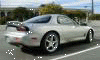


Most LED conversion, even diffused types, still show some bright spots where the LED's are.
https://www.azrx7.com/product-category/mazda/fdrx7/
https://rx-lights.com/shop/ols/produ...ity-taillights
Just LED bulb replacements into the OEM tail light housings/lenses?
If that's the case, all you need to do is look up the OEM standard bulb number from the FD Owner's manual (IIRC, the bulbs that had 2 filaments/dual brightness are 1157's, and the single filament bulbs are 1156's; side markers are 194s, but look it up yourself to be certain). Then go to your favorite search engine or shopping site to search for "LED replacement XXXX bulbs", where XXXX = the OEM bulb #. Buy a reputable brand (e.g., Phillips, Sylvania, etc.) so you don't end up with crap and chose the LED color to match the plastic lens it's under, i.e., White for the white lens back up lights, Red for the red lens brake/tail lights, Amber for the amber lens turn signals. If you stick a White LED under a red lens, the result will end up looking pink, so you don't want to do that.
FYI, if you replace all the turn signals with LEDs, they will hyper-flash. The OEM wiring does the hyper-flash thing by design to let you know you have a burned out bulb, but because the LEDs pull so much less current than the regular bulbs do, the OEM wiring is tricked into indicating you have a dead bulb, so they hyper-flash. There's an easy fix to this that involves removing a single resistor from the CPU2/flasher unit that's posted elsewhere on the forum.
If that's the case, all you need to do is look up the OEM standard bulb number from the FD Owner's manual (IIRC, the bulbs that had 2 filaments/dual brightness are 1157's, and the single filament bulbs are 1156's; side markers are 194s, but look it up yourself to be certain). Then go to your favorite search engine or shopping site to search for "LED replacement XXXX bulbs", where XXXX = the OEM bulb #. Buy a reputable brand (e.g., Phillips, Sylvania, etc.) so you don't end up with crap and chose the LED color to match the plastic lens it's under, i.e., White for the white lens back up lights, Red for the red lens brake/tail lights, Amber for the amber lens turn signals. If you stick a White LED under a red lens, the result will end up looking pink, so you don't want to do that.
FYI, if you replace all the turn signals with LEDs, they will hyper-flash. The OEM wiring does the hyper-flash thing by design to let you know you have a burned out bulb, but because the LEDs pull so much less current than the regular bulbs do, the OEM wiring is tricked into indicating you have a dead bulb, so they hyper-flash. There's an easy fix to this that involves removing a single resistor from the CPU2/flasher unit that's posted elsewhere on the forum.


Car shop glow version 4 sounds like what you want. I think version 3 is what you're looking for as well. Version 4 is version 1 but diffused instead of an LED board. And version 3 I think is 99 style but LED. Check out the options from car shop glow lol
Trending Topics
Thread Starter
Joined: Nov 2004
Posts: 1,188
Likes: 34
From: Riverside, CA
Thread Starter
Joined: Nov 2004
Posts: 1,188
Likes: 34
From: Riverside, CA
The 4 and 5 look fairly nice.

Thread
Thread Starter
Forum
Replies
Last Post