


Rtek Official Android Rtek Thread


I got in my car this morning (88 T2 with an Rtek 2.1) and started it. After 5 seconds it stalled out. I checked for codes and nothing. I started it again, and it stalled out. I started it again and revved to 1500 rpm, checked the TPS via styletap and it was at 9% when I let go of the throttle. I sat there with my foot on the pedal until temps were in the 160 range and let go, TPS was now at 20%. Periodically through my drive into work it would dip down to 9% again...
Does anyone have any ideas?
Does anyone have any ideas?


*Also sorry to thread jack, just interested in the outcome.

turbo2ltr,
I am sorry to continue someones hijack, but do you have an explanation the reason why the TPS have to be at 20% at idle instead of 0%. I found it odd when I first discovered, but count not find good reasoning for it other than compensation for idle settings.
I am sorry to continue someones hijack, but do you have an explanation the reason why the TPS have to be at 20% at idle instead of 0%. I found it odd when I first discovered, but count not find good reasoning for it other than compensation for idle settings.


turbo2ltr,
I am sorry to continue someones hijack, but do you have an explanation the reason why the TPS have to be at 20% at idle instead of 0%. I found it odd when I first discovered, but count not find good reasoning for it other than compensation for idle settings.
I am sorry to continue someones hijack, but do you have an explanation the reason why the TPS have to be at 20% at idle instead of 0%. I found it odd when I first discovered, but count not find good reasoning for it other than compensation for idle settings.
Ok. Every once in a while my logger (via styletap) gives me an nvram error and resets the ecu. It's happened to me 4 times in the 4 months I've have the ecu. What is the general cause of this?
To tell the truth, I'm not sure. I was under the assumption that you can't save maps on Android? I believe I read that here. Can I save to Styletap, but just not to Android? I'm using the trial version so I have to uninstall/reinstall every 2 weeks...

Is there an ETA on when beta will be expanded to N370?
Also, I tried following the link to apply for beta testing and the link is apparently dead or being redirected to a page giving this message:
Server error
Sorry, you've reached a login page for a domain that isn't using Google Apps. Please check the web address and try again. Learn more
Also, I tried following the link to apply for beta testing and the link is apparently dead or being redirected to a page giving this message:
Server error
Sorry, you've reached a login page for a domain that isn't using Google Apps. Please check the web address and try again. Learn more

Almost Famous

Joined: Aug 2010
Posts: 94
Likes: 0
From: Virginia
on saving your maps,i just had an issue with styletap changing my product key and ive paid for the durn app! I was able to get a new reg key, but anyway it erased my stuff, too. luckily i had saved them, go to filez on styletap and click to view files. double-click? on internal and find the file labeled maps-rx7L or any file, your logs for example, then select them. click the menu button and it should come up with item, select, tree, and options. click item and you can copy to or just move the file(s) to external, which is yer sdcard. drop your files where you want em and bam, copies. it was a little glitchy for me at first, but youll figure it out.
to put files back, using your file manager you want to put them under Android>wherever Styletap folder is, then place files under import.
to put files back, using your file manager you want to put them under Android>wherever Styletap folder is, then place files under import.

As in the bluetooth wont connect completely to my phone. It shows up on my device, and pairs, but wont connect. Tried with an ipad2, iphone 4s, iphone 5c, Samsung Galaxy S4, and Samsung Galaxy Tab.
The apple products didnt even see the device, the Samsungs found it, paired, but wouldnt connect to it.
The apple products didnt even see the device, the Samsungs found it, paired, but wouldnt connect to it.
Apple products won't see the device because the "apple tax" hasn't been paid. (Special chip that says "yes you are allowed to talk to apple products")
The S4 should definitely work. I'm still not understanding what you mena by "connect" so I will repeat my question: are you saying the PocketLOGGER software won't connect, or are you saying something else? And if you are saying something else, please explain the exact screen that either says it's not connecting or you feel it's lack of response constitutes "not connecting".
The S4 should definitely work. I'm still not understanding what you mena by "connect" so I will repeat my question: are you saying the PocketLOGGER software won't connect, or are you saying something else? And if you are saying something else, please explain the exact screen that either says it's not connecting or you feel it's lack of response constitutes "not connecting".


Joined: Aug 2011
Posts: 3,078
Likes: 42
From: Cambridge, Minnesota
Just ordered the Bluetooth serial adapter from the site, and my 2.1 ECU is going to be on the way from a forum member next week. It won't be soon, but I look forward to contributing to the cause in a few months!
Joined: Aug 2011
Posts: 3,078
Likes: 42
From: Cambridge, Minnesota
Last night I got my computer project done, I'll see if you can follow my progression.
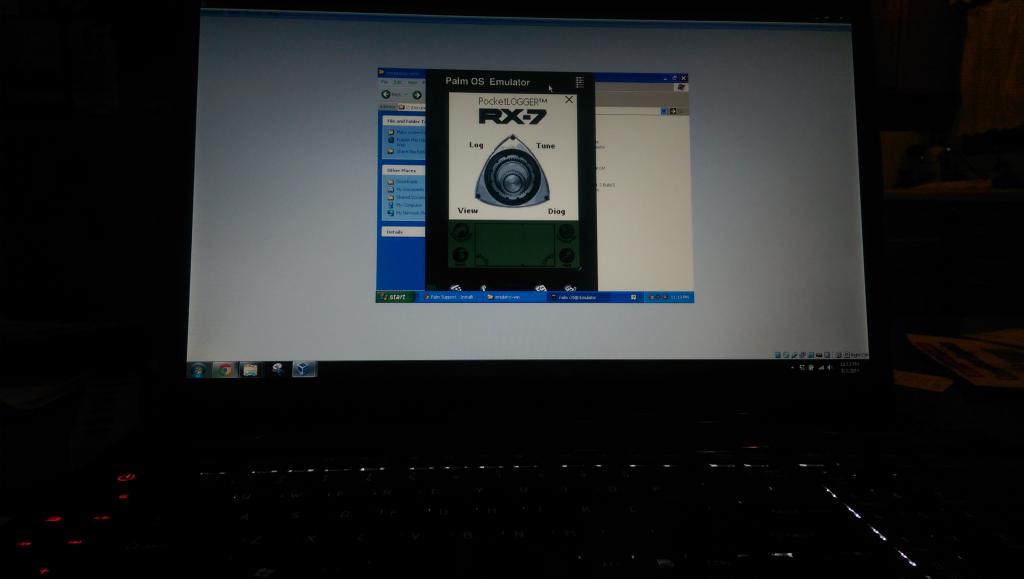
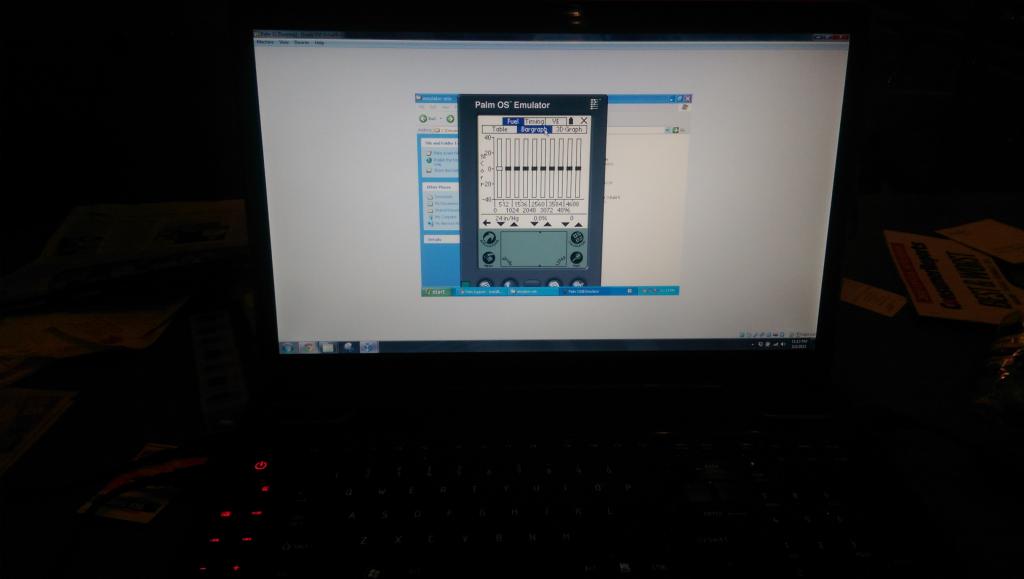
Now, pictures are worth 1,000 words right? So this picture progression will help show what really happened there.
6. Hotsynced the Palm IIIc to Palm Desktop using USB to Serial adapter cable
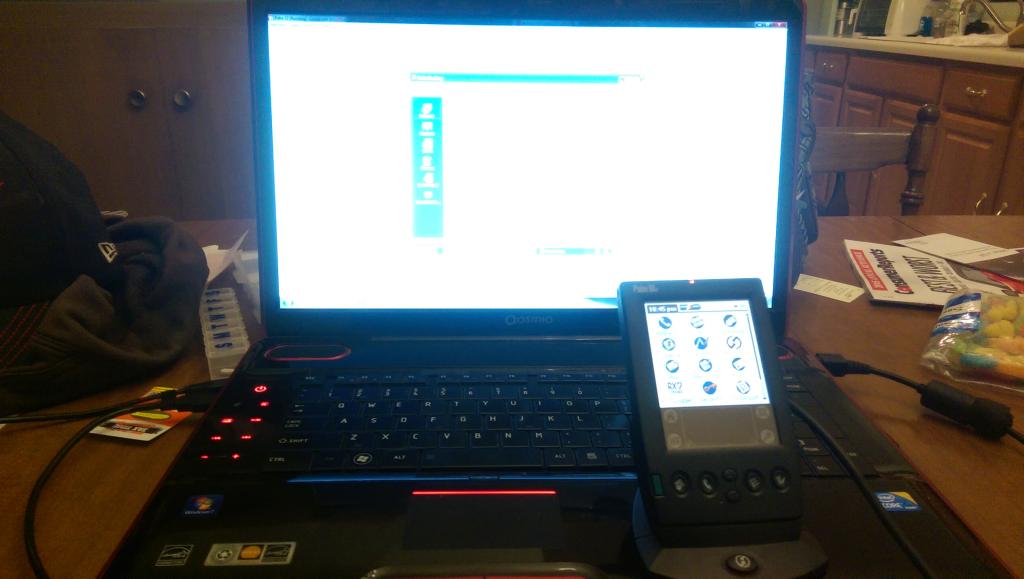
8. Installed Rtek 7 tuning software on Palm IIIc
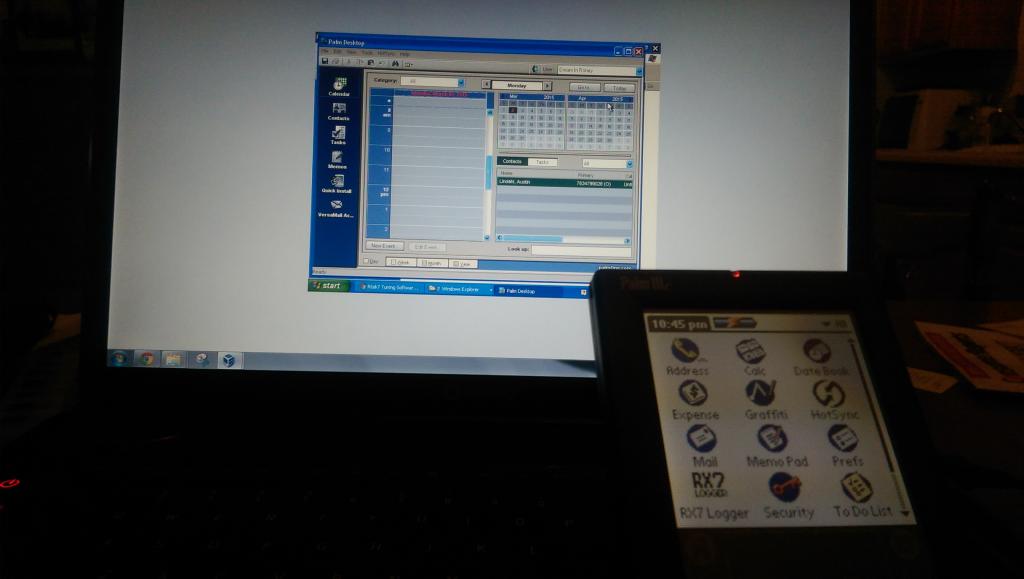
Rtek 7 tuning software running on the Palm IIIc
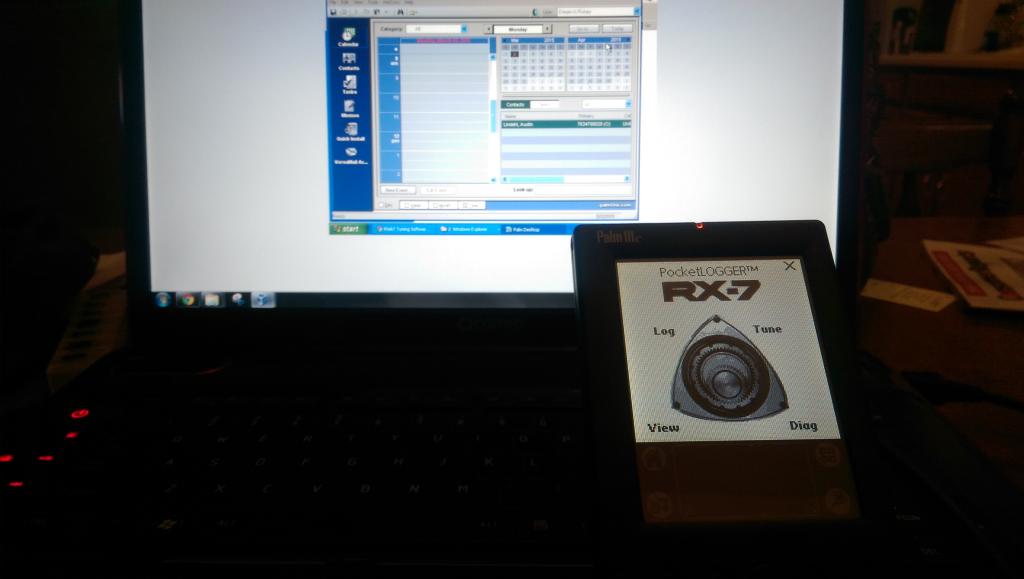
13. Ran the Rtek 7 tuning software on the Palm IIIc on Palm OS Emulator on Desktop
Fuel bargraph screen on tuning software
So what all of this allows me to do is tune the car from the following three devices:
- Installed Oracle Virtualbox Virtual Machine (VM) on my computer
- Made a VM that runs 32bit Windows XP Professional
- Installed the Palm Desktop on the XP VM
- Got the USB to Serial adapter to work with a driver on the XP VM
- Hotsynced the Palm IIIc to Palm Desktop using USB to Serial adapter cable
- Dowloaded Rtek 7 tuning software
- Installed Rtek 7 tuning software on Palm IIIc
- Downloaded Palm OS Emulator on computer
- Put the ROM program on the Palm IIIc to get the ROM on the desktop
- Ran the Palm OS Emulator after stripping the ROM, running a Palm IIIc with the Palm IIIc ROM
- Installed Rtek 7 tuning software on Palm OS on the desktop
- Ran the Rtek 7 tuning software on the Palm IIIc on Palm OS Emulator on Desktop
Now, pictures are worth 1,000 words right? So this picture progression will help show what really happened there.
6. Hotsynced the Palm IIIc to Palm Desktop using USB to Serial adapter cable

8. Installed Rtek 7 tuning software on Palm IIIc

Rtek 7 tuning software running on the Palm IIIc

13. Ran the Rtek 7 tuning software on the Palm IIIc on Palm OS Emulator on Desktop

Fuel bargraph screen on tuning software

So what all of this allows me to do is tune the car from the following three devices:
- Palm IIIc Handheld device on its dock by the stock serial cable
- My computer running WinXPPro on a VM through the USB to Serial cable with the Palm IIIc ROM on Palm OS
- My phone using the Bluetooth Serial adapter from Digital Tuning with the Rtek 7 tuning Android Bluetooth software

being one of the pioneers of the laptop based emulating, i still haven't done tuning on an android device beingthat i keep getting phones that dont support ssp. i have a new android based scantool, the autel maxisys pro, so maybe it will support it and i can give it a try.
the rtek has come so far...
the rtek has come so far...

