


Kilo Racing 3 Rotor FD Conversion



Joined: Mar 2001
Posts: 30,793
Likes: 646
From: FL-->NJ/NYC again!
I was going to reply individually to all the posts referring to me as an attention *****, but then realized that would make me......an attention ***** 
What can I say? If I'm going to enter the car show, I'm in it to win it
David, was great to meet you and thanks much for letting me drive your 20B. Looking forward to seeing ya again at the Carlisi Memorial event
What can I say? If I'm going to enter the car show, I'm in it to win it
David, was great to meet you and thanks much for letting me drive your 20B. Looking forward to seeing ya again at the Carlisi Memorial event


I was going to reply individually to all the posts referring to me as an attention *****, but then realized that would make me......an attention *****
What can I say? If I'm going to enter the car show, I'm in it to win it
David, was great to meet you and thanks much for letting me drive your 20B. Looking forward to seeing ya again at the Carlisi Memorial event
What can I say? If I'm going to enter the car show, I'm in it to win it
David, was great to meet you and thanks much for letting me drive your 20B. Looking forward to seeing ya again at the Carlisi Memorial event

Along those lines, anyone know where I can pick up a Nardi wheel with the perforations like Rich's? I need it to have an airbag though - don't want to lose the safety feature.
I'm headed out in about one hour to take the car back to Jesus for a retune and a bumper respray.
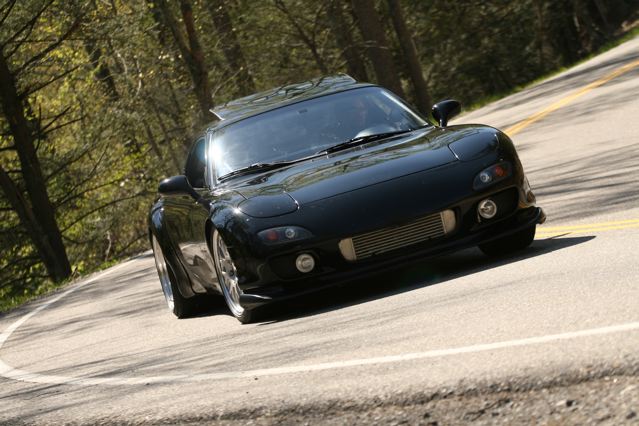
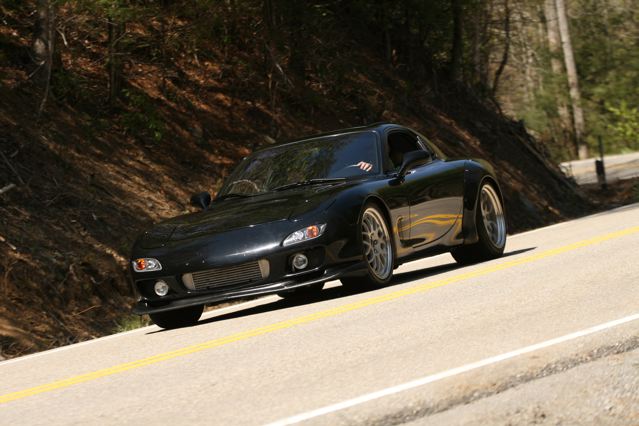
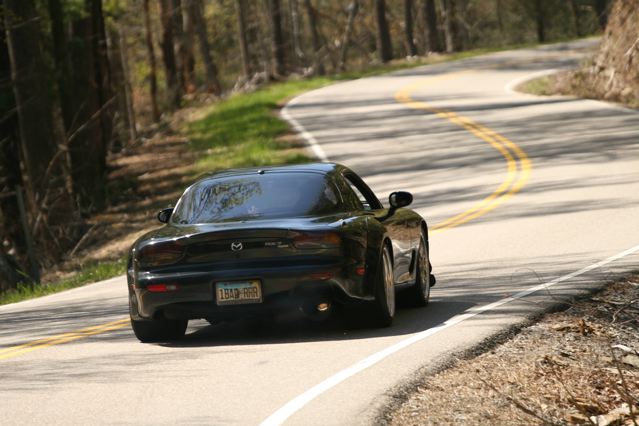

It was so rich the car shot flames out of the back, burning the backup lights. Ordered new ones from Ray Crowe. The car is at Kilo Racing being retuned and while it's there, having the boost turned up a bit for a new dyno run. Will be between 16-18 PSI for high boost and 12 for low.
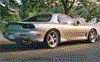
Just received these Deals Gap Rotary Rally pics from US129photos.com:


Does anyone know how to add borders to pics? I have Adobe Elements and I would like to add a black border to my pics but I don't know how.
Does anyone know how to add borders to pics? I have Adobe Elements and I would like to add a black border to my pics but I don't know how.

That car is just sick David. I bet you had a blast. Were there any P-cars up there for you to show up??
I'm not familiar with Elements but you would think it would be pretty basic considering it's made specifically for rudimentary photo editing...In PhotoShop it's just as simple as expanding the image size a few pixels, adding a layer, and painting it the color you want the border to be.
I'm not familiar with Elements but you would think it would be pretty basic considering it's made specifically for rudimentary photo editing...In PhotoShop it's just as simple as expanding the image size a few pixels, adding a layer, and painting it the color you want the border to be.
Last edited by Dysfnctnl85; May 18, 2009 at 07:50 AM. Reason: Attached image



Junior Member

Joined: Jan 2008
Posts: 16
Likes: 0
From: Indiana
That car is just sick David. I bet you had a blast. Were there any P-cars up there for you to show up??
I'm not familiar with Elements but you would think it would be pretty basic considering it's made specifically for rudimentary photo editing...In PhotoShop it's just as simple as expanding the image size a few pixels, adding a layer, and painting it the color you want the border to be.
I'm not familiar with Elements but you would think it would be pretty basic considering it's made specifically for rudimentary photo editing...In PhotoShop it's just as simple as expanding the image size a few pixels, adding a layer, and painting it the color you want the border to be.
You can actually add an easy shadow in Word. Just open a picture in Word (or Publisher) Then go to format->border and shading. There is also a menu bar in word for simple photo editing, cropping, shadows, etc. Just right-click on the menus bars and open up the picture menu bar.
Joined: Mar 2001
Posts: 30,793
Likes: 646
From: FL-->NJ/NYC again!
David, which specific items did you order from that website? They have some bangin' shots of my FD, but there are like 75 different ways you can order the pic and I don't see any examples at all.....


I might get down today as I am taking my mom out to lunch. She lives in Deland so we'll see.
Rich, I ordered the simple "full resolution photo on a CD" option and picked a few shots that I liked. The interesting thing is although I selected just two shots (and two from killboy.com), US129 sent me all the photos they had of my car (seven of them). Don't know if this was a mistake but I am happy. They did not put enough postage on the package so it did cost me .54 more but I'll take it.
btw rich did you ever get the two DVD's full of photos that i sent you??
Saw the car today. The paint on the front and rear bumpers came out great! Looks brand new. Should have everything else wrapped up in a week or so I would guess.
None really. The car is still at Kilo having the retune done and while it is there I am sprucing up the engine bay a bit. Spoke to Jesus yesterday and he's waiting on the engine parts that are being chromed/blacked out to come back in.
I did get my Miata steering wheel finished and ready for install. Not sure if I mentioned this in the thread. Here is how it turned out:
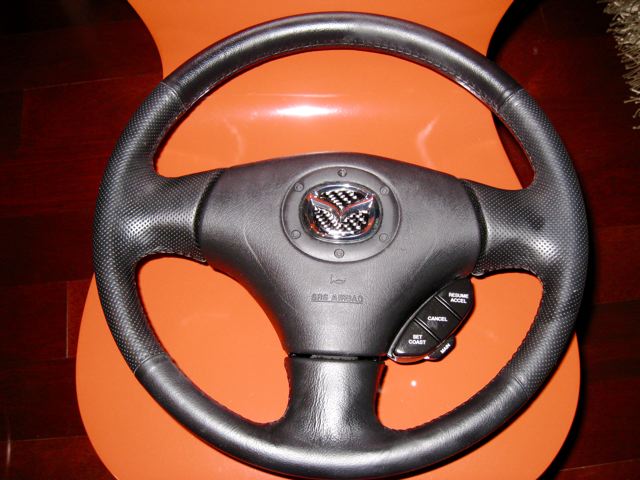
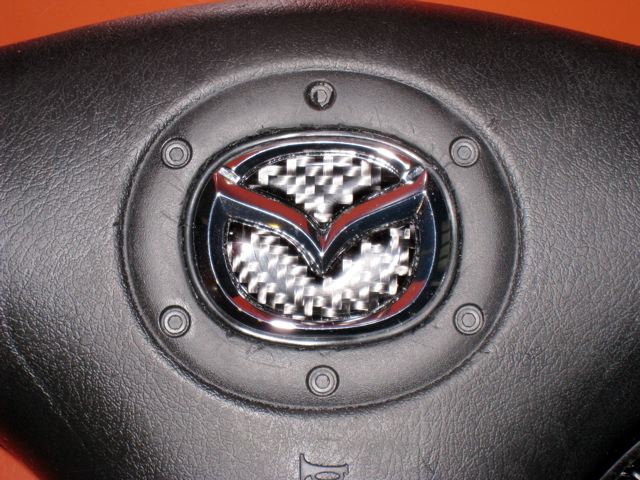
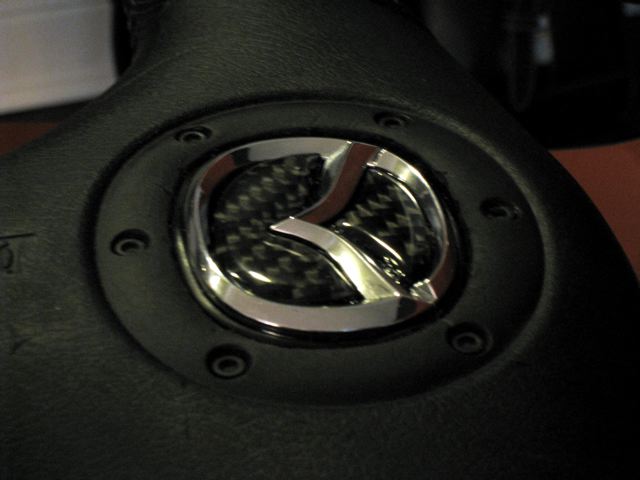
The one part on the FD I don't like is the clunky 80s looking steering wheel so I sourced a Miata wheel with cruise control off of eBay and bought the airbag from a Miata forum. The airbag's flying m emblem had a scratch on it. It looked cheap anyway so I decided to use a 3D chrome emblem from a Miata (same size as the flat original sticker) and retrofitted it into the wheel. Also use a carbon fiber insert on the emblem. Turned out pretty cool and should be a nice addition to the car. The scratches on the airbag cover were caused by me using (poorly) an x-acto knife and if I were to do this again, I would know how to do it without any scratches. The flash makes them look much more prominent than they really are and you don't notice them at all in daylight so I'll be good to go. FYI - my total cost for the project was $140. Compare this to the $400 - $800 you'll pay to buy one of the RX7 wheels like mine and you still don't get cruise control
I did get my Miata steering wheel finished and ready for install. Not sure if I mentioned this in the thread. Here is how it turned out:
The one part on the FD I don't like is the clunky 80s looking steering wheel so I sourced a Miata wheel with cruise control off of eBay and bought the airbag from a Miata forum. The airbag's flying m emblem had a scratch on it. It looked cheap anyway so I decided to use a 3D chrome emblem from a Miata (same size as the flat original sticker) and retrofitted it into the wheel. Also use a carbon fiber insert on the emblem. Turned out pretty cool and should be a nice addition to the car. The scratches on the airbag cover were caused by me using (poorly) an x-acto knife and if I were to do this again, I would know how to do it without any scratches. The flash makes them look much more prominent than they really are and you don't notice them at all in daylight so I'll be good to go. FYI - my total cost for the project was $140. Compare this to the $400 - $800 you'll pay to buy one of the RX7 wheels like mine and you still don't get cruise control
Check out any higher end auto and they all have 3D, better quality emblems on them and they all work this way.

