


Pics


Thread Starter
Senior Member

Joined: Aug 2002
Posts: 346
Likes: 0
From: Edmonton AB Canada
Pics
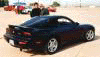
Couldn't figure out how to post a pic so i made a car domain site for a few guys who wanted to see my $1200CND 83000KM '81reCAR DOMAIN
Last edited by exodus82; Jan 9, 2003 at 08:41 PM.




Open up! Search Warrant!
Joined: May 2002
Posts: 3,838
Likes: 3
From: Kicking down doors in a neighborhood near you
Originally posted by luiml73
We are sorry, your request has caused an error. Please press back on your browser and try again.
We are sorry, your request has caused an error. Please press back on your browser and try again.
 I get that same error message. I know I been to that site before.
Oh yeah, here is how you post a pic. When you start a new thread, or when you hit "Post Reply" you will have an option to "browse" Click that and go through your files to find your pic. It will up load it and at the bottom of your post, you will see a link to click on. Clicking on the link will show you your pic. Now, if you want it to be shown without clicking on the link, open the picture, right click on it, and when the new menu pops up, click on properties. Now you will see stuff that most of use don't understand. You are looking for the line that says "Address (URL)" Next to that you will see something that says "http://....." You want to highlight everything from the http to the end. Should end in .JPG
Close that and go back to where you just posted the link to the picture. On the bottom right, click "EDIT". You will be back at the screen where you first created the post. At the top, you will see an option that says "IMG" This is for image. Click that, and in the space on the new screen, right click and paste the pictures address in that space. Click "OK". Scroll down and click submit changes. Your picture will be at the bottom on your post. You can right click on any picture on the internet and post it like that. As long as that picture is in the same place as it was when you created the post, it will be shown. If you go to somewhere like NFL.com, and post a picture, the next time they change stories on there page, the picture will be gone and we will see a X.
Wanna know how I did that? Simple. If you look at the post you created, it will show you data about the picture. It will start with [img] for the image info /img inside the same brackets. That is called a tag line. The IMG tells the HTML program to go to that web site and show that picture. The /img tells it that that is the end of the command. every command is in brackets, [ ] not ( ). Every command ends with a / before the word. The end command must be in brackets. I'm not putting them here cause th computer will think I'm really trying to tell it to do something. If you want, go to the test area 51 forum, create a thread and practice. You can change the size of the font with the "Size" command. Everything between the brackets will be affected. If you put [size=18]all the words following that will be in 18 font until you put the /size inside the brackets. To do color, put [color=red] everything here will be red. To end it, put /color <that should be in [ ]. You can use multiple tags, but everyone you start should be closed, or canceled or it won't take effect. [b][i] will make everything following that bold, and in italics. to stop it you use /b /i Simple enough? There are other html codes to, like the quote, but there is a buttom on top of the menu near the img button. Mess with it and see what you come up with.
Last edited by Project84; Jan 10, 2003 at 02:26 AM.

Trending Topics


Function > Form

Joined: Nov 2002
Posts: 10,890
Likes: 3
From: Catonsville MD (baltimore suburb)
"Hey dude, that's a cool mazda, you ought to get some euros for it, a paintjob, bodykit, and it would look real phat!"
Umm, ya.
Real nice car, not many left so clean.
Umm, ya.
Real nice car, not many left so clean.


 . Keep up the good work

Thread
Thread Starter
Forum
Replies
Last Post