


anyone ever relocated their front mounted oil cooler ?


Thread Starter
Senior Member

Joined: Aug 2004
Posts: 315
Likes: 2
From: cape town, south africa
anyone ever relocated their front mounted oil cooler ?
i'm about to put in a larger radiator and need to remount the oil cooler further forward. if you have done this can you please post a pic of where you mounted your cooler and some words on what you did.
thanks
thanks


Yes. I mounted it to the round tube crossmenber using muffler clamps and simple home made brackets made of aluminum. Be sure to use rubber inbetween the bracket and oil cooler otherwise snapity.


7-less
Joined: Dec 2005
Posts: 2,053
Likes: 0
From: No. Virginia, USA
The hoses should be able to reach a bit further ahead with no problem. If you look under your car you should see some slack in the hoses. A new radiator will only push it out about maybe 1 to 1.5 inches ahead. But, I could be wrong, I'm just going off of what I saw last time I looked under my car.

I have a full writeup in the archives, with pics, for the beehive to fmoc conversion. Just don't mount the fmoc directly behind the round tube that ties the lower frame rails together.
.
.
.
.
.
.
.
.
.
.
.
.
.
.
Trending Topics
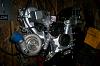
My install is to relocate the radiator due to the 5.0 needing room (no flaming required). I have custom hoses with fittings picked up from a local hydraulic hose store and goodyear hose, note the two driver's side aluminum mounts, the mounts use the original rubber brackets to eliminate vibration failure. Passenger side mount is bolted to the original frame. This set up runs from the engine to the cooler then via the filter which is remotely mounted using a kit and then back into the engine.
Can't post pic due to size, someone want to help out?
Can't post pic due to size, someone want to help out?

^ Easiest way to resize picture, open them up in Paint (The application located via the start button > programs > accessories > paint). Once its open just hit the save button. See how much that bring you down in size of the file (make sure you save the files in a jpeg format). From there what you want to do is look at how much more you're over, say the file is about 300kb now, you will need to bring it the picture down about 80%. How you do that is in the Paint, click on "Image" then select stretch/skew. In the horizontal and vertical section, change that to 80% and hit save. And voila.
You don't have to do this for all the pictures, usually try to find the largest size picture, then see what that takes to bring it down, and then open up picture by picture and plug in those values and hit save.
Or you could just download a program to make it all happen in one step.
You don't have to do this for all the pictures, usually try to find the largest size picture, then see what that takes to bring it down, and then open up picture by picture and plug in those values and hit save.
Or you could just download a program to make it all happen in one step.

Thread
Thread Starter
Forum
Replies
Last Post
