


Wolf 3D *limewire share V4 software*


*limewire share V4 software*
Can anyone share the latest V4 software in limewire or upload it to torrentspy or something??? i guess that will be better than asking people and waiting for then to email it or paying those 89 dollars.

Originally Posted by wakeman811
i got the installer for version 4_72, im me on AIM wakeman811
here is the url i'll host as long as i can
http://www.3rotor.jp/downloads/


Full Member

Joined: Apr 2006
Posts: 103
Likes: 0
From: Perth, WA
hwnd = legend!!!
Anyone know what the 'tools' do?? They are greyed out, i'm guessing they are for the datalogged files.
I like how everything has a 'help' section for it. I just hope it doesn't have the bugs i experienced with the older revisions.
Anyone know what the 'tools' do?? They are greyed out, i'm guessing they are for the datalogged files.
I like how everything has a 'help' section for it. I just hope it doesn't have the bugs i experienced with the older revisions.
Trending Topics

 Big Thumbs Up

BTW thanks alow michael for helping me out setting the wolf for my sr20 project, i ended up using to leading coils since my engine didn't had the modulator for the coils.
here its how it was coming along when i was making the mount
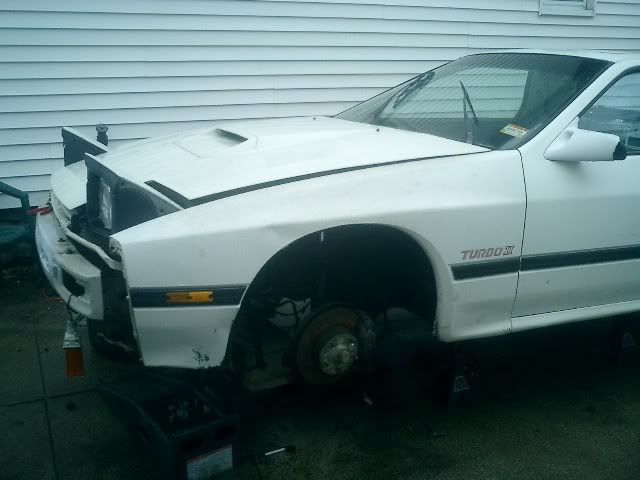
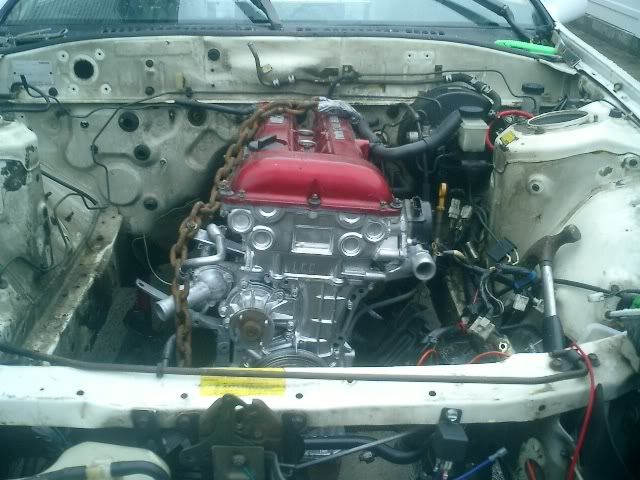
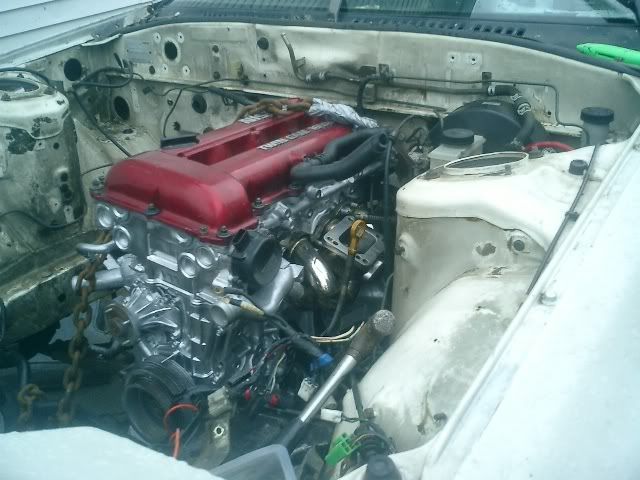
here its how it was coming along when i was making the mount
Last edited by Rotor Connection; Apr 17, 2007 at 05:38 PM.
Full Member
Joined: Apr 2006
Posts: 103
Likes: 0
From: Perth, WA
I tried out the latest version last night just revving in the driveway. It works much smoother but i did notice when i played back the logged files it didn't work in full speed. The graphs all moved along but the dashboard values didn't change. It worked on slower speeds ok though.
It would be nice if you could select a point on the graphs with the mouse and it displays all the logged values at that point. I discovered in the fuel and igntion map tuning 3d graph you can right click a point and it displays the values.
I'm using a Celeron 1200mhz laptop btw. It might work better with a faster machine.
What should i set the port baud rates on?
Oh one other thing is with my resolution the map table values are really small. It would be nice if we could change the size of the 3d graph to take up less room.
It would be nice if you could select a point on the graphs with the mouse and it displays all the logged values at that point. I discovered in the fuel and igntion map tuning 3d graph you can right click a point and it displays the values.
I'm using a Celeron 1200mhz laptop btw. It might work better with a faster machine.
What should i set the port baud rates on?
Oh one other thing is with my resolution the map table values are really small. It would be nice if we could change the size of the 3d graph to take up less room.


Thread
Thread Starter
Forum
Replies
Last Post
renjiv2
3rd Generation Specific (1993-2002)
57
Jan 25, 2024 03:34 AM