


Photoshop request on my FD3s





black is easy and you can get it using many different ways...
select your part with the magic wand or quick selection tool
image > adjustement > desaturate
image > adjustement > brightness / contrast
play with this and you'll get black while keeping the lighting and effect of the selection
for other colors dont desaturate and go
image > adjustement > hue/saturation
here's an exemple of photoshop i did with ken's fd
select your part with the magic wand or quick selection tool
image > adjustement > desaturate
image > adjustement > brightness / contrast
play with this and you'll get black while keeping the lighting and effect of the selection
for other colors dont desaturate and go
image > adjustement > hue/saturation
here's an exemple of photoshop i did with ken's fd
Trending Topics
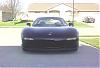
Colorize and adjusted Multiply layers painted, took all of 3min in photoshop.
There are many many ways of doing effects and color changes, its picking the right one for the job. Full color changes like Ken's FD are a little harder and take more time as they tend to look "fake" a lot of the time.
I also use a tablet instead of a mouse, so editing anything is much faster.
Rx-7 = Expensive Habit

Joined: Oct 2005
Posts: 170
Likes: 0
From: Fort Recovery, OH
Colorize and adjusted Multiply layers painted, took all of 3min in photoshop.
There are many many ways of doing effects and color changes, its picking the right one for the job. Full color changes like Ken's FD are a little harder and take more time as they tend to look "fake" a lot of the time.
I also use a tablet instead of a mouse, so editing anything is much faster.
There are many many ways of doing effects and color changes, its picking the right one for the job. Full color changes like Ken's FD are a little harder and take more time as they tend to look "fake" a lot of the time.
I also use a tablet instead of a mouse, so editing anything is much faster.
Also what do you mean by "colorize and adjusted multiply layers painted?"
Rx-7 = Expensive Habit
Joined: Oct 2005
Posts: 170
Likes: 0
From: Fort Recovery, OH
black is easy and you can get it using many different ways...
select your part with the magic wand or quick selection tool
image > adjustement > desaturate
image > adjustement > brightness / contrast
play with this and you'll get black while keeping the lighting and effect of the selection
for other colors dont desaturate and go
image > adjustement > hue/saturation
here's an exemple of photoshop i did with ken's fd
select your part with the magic wand or quick selection tool
image > adjustement > desaturate
image > adjustement > brightness / contrast
play with this and you'll get black while keeping the lighting and effect of the selection
for other colors dont desaturate and go
image > adjustement > hue/saturation
here's an exemple of photoshop i did with ken's fd


and i would leave mirrors untouched that is: in red
I have been looking at buying a tablet for some time now but havent been able to try one hands on yet. Im lookin at the new hp multi touch tablet. What kind do you have and what do you think of it?
Also what do you mean by "colorize and adjusted multiply layers painted?"
Also what do you mean by "colorize and adjusted multiply layers painted?"
If you work in photoshop or painter or anything Adobe all day, yes they are much better then a mouse. The mouse does not compare to tablet capability at all, tablets make work much faster and pressure sensitivity means artists like me can draw and sketch fast like we would on paper.
colorize - i painted the area black, changed layer to colorize so it overlays the red in black and keeps the highlights.
multiply - duplicated the previous layer expect make it multiply and adjust its fill/opacity
^this is a "lazy" fast way to do it I think lol, there are many ways to do what I did.

Thread
Thread Starter
Forum
Replies
Last Post
Turblown
Vendor Classifieds
12
Oct 17, 2020 03:25 PM
joel(PA)
Race Car Tech
0
Oct 1, 2015 10:25 AM
