


Haltech this might be a stupid question?

Thread Starter
Full Member
Joined: Jan 2009
Posts: 219
Likes: 0
From: riverside ca
this might be a stupid question?
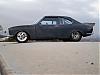
i am running the haltech E8 on a fd.i have been real conservitive with my tune up so far.i have tried to enter my own rpm values in the text maps but for some reason it will not take it!!!the maps are still in the default 250 rpm steps.it works real good at this setting.with the 250 rpm steps the top rpm is 7750-8000 rpm.i have the rev limiter set to 8000 RPM.what my real question is once i go past the top rpm on the map at the boost setting it is running,will the ECU will continue the highest fuel PW and timing?or will the ECU get stupid and say WTF.i want to twist the engine to 9000 RPM.it is a drag car with the best times at 1.26 60 foot 5.99 @ 112 mph 1/8 mile and 9.700 @ 135 in the 1/4 with allot more in it !!thaks all
!!thaks all



Open the text view map.
Click the Edit drop down menu and select Lock Variable Points.
Change load and/or rpm break points.
Go back to the Edit drop down menu and select Lock Variable Points.
I suspect you're skipping the last step above. Also, make sure to hit Enter after you have changed your last point before you re-lock the points or you will lose the last change that you made.
Click the Edit drop down menu and select Lock Variable Points.
Change load and/or rpm break points.
Go back to the Edit drop down menu and select Lock Variable Points.
I suspect you're skipping the last step above. Also, make sure to hit Enter after you have changed your last point before you re-lock the points or you will lose the last change that you made.
Thread Starter
Full Member
Joined: Jan 2009
Posts: 219
Likes: 0
From: riverside ca

Open the text view map.
Click the Edit drop down menu and select Lock Variable Points.
Change load and/or rpm break points.
Go back to the Edit drop down menu and select Lock Variable Points.
I suspect you're skipping the last step above. Also, make sure to hit Enter after you have changed your last point before you re-lock the points or you will lose the last change that you made.
Click the Edit drop down menu and select Lock Variable Points.
Change load and/or rpm break points.
Go back to the Edit drop down menu and select Lock Variable Points.
I suspect you're skipping the last step above. Also, make sure to hit Enter after you have changed your last point before you re-lock the points or you will lose the last change that you made.
 one more quick question C.Ludwig.i left the 250 RPM steps all the way to 6500 RPM,after 6500 i go 500 RPM steps to 9000.at high rpm do you like to have a 500 RPM gap in the map intersections?do you recommend 500 rpm gaps?this is the haltech low range rpm points;150, 300, 500, 600, 700, 800, 900,
 1000, 1100, 1250, 1500, 1750, 2000,
2250, 2500, 2750, 3000, 3250, 3500,
3750, 4000, 4250, 4500, 5000, 5500,
6000, 6500, 7000, 7500, 8000, 8500,
9000 i don't have much tuning experiance,but it seems to me that from 150-900 these cell spaces could be used at rpm some were else?i guess i am doing ok for a key board hack/tuner


Thread
Thread Starter
Forum
Replies
Last Post
Adaptronic S5 Turbo PNP Unit questions
_Tones_
Adaptronic Engine Mgmt - AUS
10
May 25, 2021 05:37 AM
msilvia
3rd Generation Specific (1993-2002)
15
Sep 11, 2015 12:13 PM
Nosferatu
2nd Generation Specific (1986-1992)
7
Sep 5, 2015 02:13 PM