1st Generation Specific (1979-1985) 1979-1985 Discussion including performance modifications and technical support sections

bigger pics

Thread Tools
 
Search this Thread
 
Old Feb 4, 2006 | 03:33 PM
  #1  
Jose Feliciano's Avatar
Thread Starter
chosen 1
Tenured Member 10 Years
 
Joined: Apr 2004
Posts: 1,726
Likes: 0
From: New Jersey
bigger pics

how do I post my pics big on a page , it always post small
Attached Thumbnails bigger pics-car-show.jpg  
Reply
Old Feb 4, 2006 | 03:36 PM
  #2  
Jose Feliciano's Avatar
Thread Starter
chosen 1
Tenured Member 10 Years
 
Joined: Apr 2004
Posts: 1,726
Likes: 0
From: New Jersey
I will try again
Attached Thumbnails bigger pics-car-show.jpg  
Reply
Old Feb 4, 2006 | 04:39 PM
  #3  
gsl-se addict's Avatar
Super Moderator
Tenured Member 15 Years
iTrader: (3)
 
Joined: Jan 2003
Posts: 5,088
Likes: 11
From: Lynchburg, VA
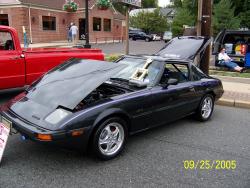
After you add the attachment, right click on the file to get the address. Then put the address between img tags. Like this:

[img].https://www.rx7club.com/attachment.p...hmentid=154286.[/img]

Remove the periods above, and you get:
Reply
Old Feb 4, 2006 | 06:36 PM
  #4  
Jose Feliciano's Avatar
Thread Starter
chosen 1
Tenured Member 10 Years
 
Joined: Apr 2004
Posts: 1,726
Likes: 0
From: New Jersey
I am confused on how to do it but thanks I will keep trying
Reply
Old Feb 4, 2006 | 07:46 PM
  #5  
Arockrx7's Avatar
Senior Member
Tenured Member 05 Years
 
Joined: Dec 2004
Posts: 620
Likes: 1
From: Boone, NC
sign up for photobucket.com and then copy the HTML links for the picture you want to show after you uplaod it to photoshop.
Reply
Old Jun 2, 2006 | 08:48 PM
  #6  
Jose Feliciano's Avatar
Thread Starter
chosen 1
Tenured Member 10 Years
 
Joined: Apr 2004
Posts: 1,726
Likes: 0
From: New Jersey
test
Attached Thumbnails bigger pics-meet7.jpg   bigger pics-meet8.jpg   bigger pics-maz1.jpg  

Last edited by Jose Feliciano; Jun 2, 2006 at 08:57 PM.
Reply
Old Jun 2, 2006 | 08:58 PM
  #7  
85 FB's Avatar
7-less
Tenured Member 05 Years
 
Joined: Dec 2005
Posts: 2,053
Likes: 0
From: No. Virginia, USA
When you're creating the post, and have uploaded all your attachments, under the "text box" is a list of your attachments. Right-click on each picture link and select Copy Shortcut and then stick the shortcut link in the [img][/img] tags. It's just like how gsl-se said.

You can find an easy button for the "img" tags by clicking on the yellow icon with the mountain in it. Just paste in what you copied by right-clicking. Make sense now?

Last edited by 85 FB; Jun 2, 2006 at 09:01 PM.
Reply
Old Jun 2, 2006 | 09:01 PM
  #8  
Jose Feliciano's Avatar
Thread Starter
chosen 1
Tenured Member 10 Years
 
Joined: Apr 2004
Posts: 1,726
Likes: 0
From: New Jersey
test2
https://www.rx7club.com/attachhttps:...d=178429&stc=1
Attached Images  

Last edited by Jose Feliciano; Jun 2, 2006 at 09:07 PM.
Reply
Old Jun 2, 2006 | 09:02 PM
  #9  
85 FB's Avatar
7-less
Tenured Member 05 Years
 
Joined: Dec 2005
Posts: 2,053
Likes: 0
From: No. Virginia, USA
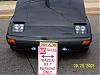
Now put that link between [IMG] and [/IMG] and you got it.

NOTE: IGNORE the ( ' ' ) marks surround the IMG.

It'll look like this ['IMG'] https://www.rx7club.com/attachment.p...d=178429&stc=1 ['/IMG']

To get this:
Reply
Old Jun 2, 2006 | 09:08 PM
  #10  
Jose Feliciano's Avatar
Thread Starter
chosen 1
Tenured Member 10 Years
 
Joined: Apr 2004
Posts: 1,726
Likes: 0
From: New Jersey
test
https://www.rx7club.com/attachment.p...d=178433&stc=1
Attached Thumbnails bigger pics-meet7.jpg  

Last edited by Jose Feliciano; Jun 2, 2006 at 09:21 PM.
Reply
Old Jun 2, 2006 | 09:10 PM
  #11  
85 FB's Avatar
7-less
Tenured Member 05 Years
 
Joined: Dec 2005
Posts: 2,053
Likes: 0
From: No. Virginia, USA
Jose,

You MUST stick that link in between [IMG] and [/IMG]
Reply
Old Jun 2, 2006 | 09:24 PM
  #12  
Jose Feliciano's Avatar
Thread Starter
chosen 1
Tenured Member 10 Years
 
Joined: Apr 2004
Posts: 1,726
Likes: 0
From: New Jersey
what yellow icon
Reply
Old Jun 2, 2006 | 09:25 PM
  #13  
Jose Feliciano's Avatar
Thread Starter
chosen 1
Tenured Member 10 Years
 
Joined: Apr 2004
Posts: 1,726
Likes: 0
From: New Jersey
what easy button
Reply
Old Jun 2, 2006 | 09:33 PM
  #14  
85 FB's Avatar
7-less
Tenured Member 05 Years
 
Joined: Dec 2005
Posts: 2,053
Likes: 0
From: No. Virginia, USA

This:


You click on that button, it'll pull up a location bar. In that location bar you paste in the image's link.

Last edited by 85 FB; Oct 25, 2007 at 07:37 AM.
Reply
Old Jun 2, 2006 | 09:44 PM
  #15  
trochoid's Avatar
Old Fart Young at Heart
Tenured Member 10 Years
iTrader: (6)
 
Joined: Apr 2004
Posts: 15,145
Likes: 8
From: St Joe MO
Once I have a pic uploaded, on the upload page, I right click on the file, click properties, copy the file address. Then go to the post box, click on the yellow mountain/pic icon, paste the address in, click ok, the go to to the post box, right click, then click paste/insert, forget which one..

Fyi, I really dislike pics hosted off-site. Hosting off-site is one of the major reasons some of the older posts are filled with red x boxes, losing, sometimes, very valuable info.

Last edited by trochoid; Jun 2, 2006 at 09:48 PM.
Reply
Old Jun 2, 2006 | 09:48 PM
  #16  
85 FB's Avatar
7-less
Tenured Member 05 Years
 
Joined: Dec 2005
Posts: 2,053
Likes: 0
From: No. Virginia, USA
Trochoid, you can also select Copy Shortcut when you right click to make it simpler.
Reply
Old Jun 2, 2006 | 10:16 PM
  #17  
trochoid's Avatar
Old Fart Young at Heart
Tenured Member 10 Years
iTrader: (6)
 
Joined: Apr 2004
Posts: 15,145
Likes: 8
From: St Joe MO
I'll try that, all this talk about inserting img tags sounds like too much work, especially with my lack of typing skills.
Reply
Old Jun 3, 2006 | 09:33 AM
  #18  
Jose Feliciano's Avatar
Thread Starter
chosen 1
Tenured Member 10 Years
 
Joined: Apr 2004
Posts: 1,726
Likes: 0
From: New Jersey
Originally Posted by 85 FB

This:


You click on that button, it'll pull up a location bar. In that location bar you paste in the image's link.
my screen does not look like that
Reply
Old Jun 3, 2006 | 09:54 AM
  #19  
gonzz's Avatar
Banned. I got OWNED!!!
 
Joined: Mar 2002
Posts: 4,236
Likes: 0
From: Las Vegas, NV
I think you have to switch to advanced mode editor to get that. Go to you user/cp and change it to advanced editor
Reply
Old Jun 3, 2006 | 10:17 AM
  #20  
Jose Feliciano's Avatar
Thread Starter
chosen 1
Tenured Member 10 Years
 
Joined: Apr 2004
Posts: 1,726
Likes: 0
From: New Jersey
Originally Posted by gonzz
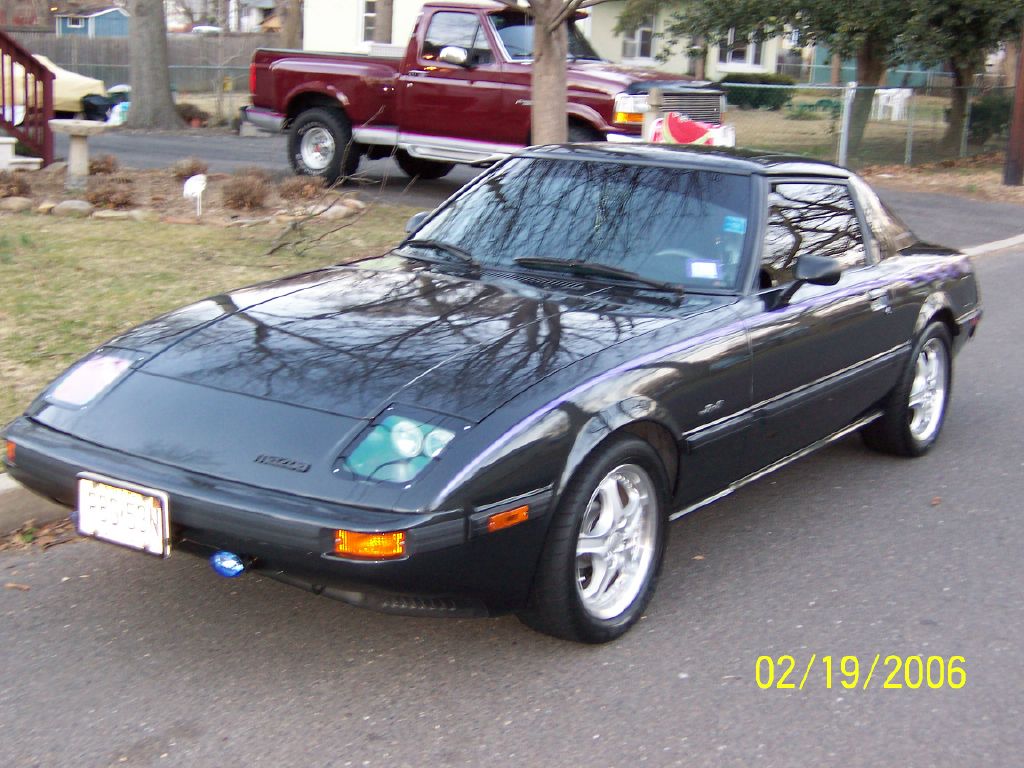
I think you have to switch to advanced mode editor to get that. Go to you user/cp and change it to advanced editor
I cant find it

Last edited by Jose Feliciano; Jun 3, 2006 at 10:19 AM.
Reply
Old Jun 3, 2006 | 10:31 AM
  #21  
Jose Feliciano's Avatar
Thread Starter
chosen 1
Tenured Member 10 Years
 
Joined: Apr 2004
Posts: 1,726
Likes: 0
From: New Jersey
trying again
Attached Thumbnails bigger pics-meet7.jpg  
Reply
Old Jun 3, 2006 | 10:34 AM
  #22  
Jose Feliciano's Avatar
Thread Starter
chosen 1
Tenured Member 10 Years
 
Joined: Apr 2004
Posts: 1,726
Likes: 0
From: New Jersey
thank you
Attached Thumbnails bigger pics-clinton_hummer.jpg  
Reply
Old Jun 3, 2006 | 10:48 AM
  #23  
Jose Feliciano's Avatar
Thread Starter
chosen 1
Tenured Member 10 Years
 
Joined: Apr 2004
Posts: 1,726
Likes: 0
From: New Jersey
Originally Posted by gonzz
I think you have to switch to advanced mode editor to get that. Go to you user/cp and change it to advanced editor
you the man!
Attached Thumbnails bigger pics-jlo.jpg  
Reply
Old Jun 3, 2006 | 02:11 PM
  #24  
blwfly's Avatar
kiwi from downunder..
Tenured Member 15 Years
iTrader: (4)
 
Joined: Nov 2005
Posts: 3,423
Likes: 5
From: springfield,oregon
ohhh baby
Reply
Related Topics
Thread
Thread Starter
Forum
Replies
Last Post
Jeff20B
1st Generation Specific (1979-1985)
73
Sep 16, 2018 07:16 PM
HalifaxFD
Canadian Forum
126
May 9, 2016 07:06 PM
ZacMan
Build Threads
4
Sep 19, 2015 09:20 PM
msilvia
3rd Generation Specific (1993-2002)
15
Sep 11, 2015 12:13 PM
04G35S
3rd Generation Specific (1993-2002)
4
Sep 9, 2015 07:05 AM


All times are GMT -5. The time now is 09:44 PM.