


Power FC New Power FC Software RasPexi Viewer


Rx-7 France

Joined: Dec 2006
Posts: 36
Likes: 0
From: France
Congrats for the update Markus!
Like my previous pm, do you think it is possible to make a gauge skin like this design (it's more close to the original design with the oem gauge from dashboard)?
My idea (i have dl a double screen autoradio for the scale):

The ideal is to can switch with a gps/CD/Mp3 player and other stuff like alarm on temperature etc.. no? (maybe can make on linux?)
Like that:

Like my previous pm, do you think it is possible to make a gauge skin like this design (it's more close to the original design with the oem gauge from dashboard)?
My idea (i have dl a double screen autoradio for the scale):
The ideal is to can switch with a gps/CD/Mp3 player and other stuff like alarm on temperature etc.. no? (maybe can make on linux?)
Like that:

Joined: Dec 2001
Posts: 10,630
Likes: 3
From: NY, MA, MI, OR, TX, and now LA or AZ!
It would largely depend upon the device you are using to display the screen and the operating system it's running. If you had like an android device that supported HDMI input for auxilary devices such as DVD players or something else, then it could work like that. Otherwise, you would have to compile the program for whatever device you're using -- which may be difficult to do while keeping the software/skins they use for their native interface.
Otherwise, making a skin like that would be pretty easy and straightforward.
Otherwise, making a skin like that would be pretty easy and straightforward.
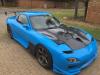
Thread Starter
Senior Member

Joined: Aug 2013
Posts: 613
Likes: 44
From: Wolnzach Germany
Congrats for the update Markus!
Like my previous pm, do you think it is possible to make a gauge skin like this design (it's more close to the original design with the oem gauge from dashboard)?
My idea (i have dl a double screen autoradio for the scale):
The ideal is to can switch with a gps/CD/Mp3 player and other stuff like alarm on temperature etc.. no? (maybe can make on linux?)
Like that:
Like my previous pm, do you think it is possible to make a gauge skin like this design (it's more close to the original design with the oem gauge from dashboard)?
My idea (i have dl a double screen autoradio for the scale):
The ideal is to can switch with a gps/CD/Mp3 player and other stuff like alarm on temperature etc.. no? (maybe can make on linux?)
Like that:
I am actually busy making a skin like that at the moment
Thread Starter
Senior Member
Joined: Aug 2013
Posts: 613
Likes: 44
From: Wolnzach Germany
Raspexi Viewer has its own website as of now
https://sites.google.com/site/raspexiviewer/home
Can anyone of the mods tell me what i have to do in order to edit my initial post so i can always lin the latest version of Raspexi on the first post ?
https://sites.google.com/site/raspexiviewer/home
Can anyone of the mods tell me what i have to do in order to edit my initial post so i can always lin the latest version of Raspexi on the first post ?

YYYYYAAAAAAAAYYYYYYYY i just sent out my pfc for an initial tuning and hopefully once i get it back i can have my car ready to plug and play. i look forward to getting this up and running. thanks again Markus
Thread Starter
Senior Member
Joined: Aug 2013
Posts: 613
Likes: 44
From: Wolnzach Germany
Glad to hear that , please be aware that the boost gauge seems to show incorrect . Would be nice if someone with a analoge boost gauge cold tell me what their gauge is reading versus mine , so I can check where the fault lies
Thread Starter
Senior Member
Joined: Aug 2013
Posts: 613
Likes: 44
From: Wolnzach Germany
Does any one know what the mV range of the MAP Sensor is , and what voltage equates to which pressure ? This way it would be easy to have a workarround to fix the boost gauge
Regards
Markus
Regards
Markus
Joined: Dec 2001
Posts: 10,630
Likes: 3
From: NY, MA, MI, OR, TX, and now LA or AZ!
Raspexi is currently reading the intake pressure via the PIM reference in the advanced data table. PIM works on the concept of absolute pressure, thus, 0 is actually perfect vacuum. Atmospheric is near 10,000PIM. Thus why there is an issue with the boost sensor, as it's expecting to start from 0.
The PIM scale is something along the lines of:
PSI=(PIM*0.001422)-14.69
The PIM scale is something along the lines of:
PSI=(PIM*0.001422)-14.69
Thread Starter
Senior Member
Joined: Aug 2013
Posts: 613
Likes: 44
From: Wolnzach Germany
Raspexi is currently reading the intake pressure via the PIM reference in the advanced data table. PIM works on the concept of absolute pressure, thus, 0 is actually perfect vacuum. Atmospheric is near 10,000PIM. Thus why there is an issue with the boost sensor, as it's expecting to start from 0.
The PIM scale is something along the lines of:
PSI=(PIM*0.001422)-14.69
The PIM scale is something along the lines of:
PSI=(PIM*0.001422)-14.69
As far as i can see from Kashima Kaele's source code he calculates it the following way to get from the raw PIM value to kg/cm2 :
Short word PIM consists out of 2 Bytes :
kg/cm2 = Byte1*0.0001 + Byte2*0.0256
I hope i get some time to look what powerfc.h in my program calculates after this weekend
Thread Starter
Senior Member
Joined: Aug 2013
Posts: 613
Likes: 44
From: Wolnzach Germany
unsigned short RPM;
unsigned short Intakepress;
unsigned short PressureV;
unsigned short ThrottleV;
unsigned short Primaryinp;
unsigned short Fuelc;
unsigned char Leadingign;
unsigned char Trailingign;
unsigned char Fueltemp;
unsigned char Moilp;
unsigned char Boosttp;
unsigned char Boostwg;
unsigned char Watertemp;
unsigned char Intaketemp;
unsigned char Knock;
unsigned char BatteryV;
unsigned short Speed;
unsigned short Iscvduty;
unsigned char O2volt;
unsigned char na1;
unsigned short Secinjpulse;
unsigned char na2;
#define FC_ADV_INFO_MUL {1, 0.0001, 1, 1, 1.0/256, 1.0/256, 1, 1, 1, 212.0/256, 0.4, 0.4, 1, 1, 1, 0.1, 1, 0.1, 0.02, 1, 1.0/256, 1}
----------------------------------------PIM-------------------------------------------------------------------------------------------NA1------NA2
#define FC_ADV_INFO_ADD {0, 0, 0, 0, 0, 0, -25, -25, -80, 0, 0, 0, -80, -80, 0, 0, 0, 0, 0, 0, 0, 0}
So just had a look in powerfc.h
Currently the raw value of PIM is multiplied by 0.0001 first highlighted in bold
also 2 differential inputs are already defined , and would output the raw value
they are defined as na1 and na2 . (both highlighted in bold )
Unfortunately i don't have any sensors that i could hook up for testing
I am currently not really able to test at the car as my portable monitor backed up on me . Waiting for a new china ebay monitor now lol .
To explain the code a bit for people that want to play arround
FC_ADV_INFO_MUL
multiplies a short word or char with a defined value , in order to make a user readable format.
FC_ADV_INFO_ADD
adds a defined value to a short word or char in order to make a user readable format
So to implement and test SonicRat's formula
#define FC_ADV_INFO_MUL {1, 0.001422, 1, 1, 1.0/256, 1.0/256, 1, 1, 1, 212.0/256, 0.4, 0.4, 1, 1, 1, 0.1, 1, 0.1, 0.02,1, 1.0/256,1}
#define FC_ADV_INFO_ADD {0, -14.69, 0, 0, 0, 0, -25, -25, -80, 0, 0, 0, -80, -80, 0, 0, 0, 0, 0, 0, 0,0}
unsigned short Intakepress;
unsigned short PressureV;
unsigned short ThrottleV;
unsigned short Primaryinp;
unsigned short Fuelc;
unsigned char Leadingign;
unsigned char Trailingign;
unsigned char Fueltemp;
unsigned char Moilp;
unsigned char Boosttp;
unsigned char Boostwg;
unsigned char Watertemp;
unsigned char Intaketemp;
unsigned char Knock;
unsigned char BatteryV;
unsigned short Speed;
unsigned short Iscvduty;
unsigned char O2volt;
unsigned char na1;
unsigned short Secinjpulse;
unsigned char na2;
#define FC_ADV_INFO_MUL {1, 0.0001, 1, 1, 1.0/256, 1.0/256, 1, 1, 1, 212.0/256, 0.4, 0.4, 1, 1, 1, 0.1, 1, 0.1, 0.02, 1, 1.0/256, 1}
----------------------------------------PIM-------------------------------------------------------------------------------------------NA1------NA2
#define FC_ADV_INFO_ADD {0, 0, 0, 0, 0, 0, -25, -25, -80, 0, 0, 0, -80, -80, 0, 0, 0, 0, 0, 0, 0, 0}
So just had a look in powerfc.h
Currently the raw value of PIM is multiplied by 0.0001 first highlighted in bold
also 2 differential inputs are already defined , and would output the raw value
they are defined as na1 and na2 . (both highlighted in bold )
Unfortunately i don't have any sensors that i could hook up for testing
I am currently not really able to test at the car as my portable monitor backed up on me . Waiting for a new china ebay monitor now lol .
To explain the code a bit for people that want to play arround
FC_ADV_INFO_MUL
multiplies a short word or char with a defined value , in order to make a user readable format.
FC_ADV_INFO_ADD
adds a defined value to a short word or char in order to make a user readable format
So to implement and test SonicRat's formula
#define FC_ADV_INFO_MUL {1, 0.001422, 1, 1, 1.0/256, 1.0/256, 1, 1, 1, 212.0/256, 0.4, 0.4, 1, 1, 1, 0.1, 1, 0.1, 0.02,1, 1.0/256,1}
#define FC_ADV_INFO_ADD {0, -14.69, 0, 0, 0, 0, -25, -25, -80, 0, 0, 0, -80, -80, 0, 0, 0, 0, 0, 0, 0,0}
Thread Starter
Senior Member
Joined: Aug 2013
Posts: 613
Likes: 44
From: Wolnzach Germany
Hi guys
Here is the latest raspberry pi bianaries with redesigned gauges and 3 New Dashboards
https://drive.google.com/file/d/0BwI...it?usp=sharing
Changes :
Added SonicRat's formula in powerfc.h to have the Boost units in PSI
Here is the latest raspberry pi bianaries with redesigned gauges and 3 New Dashboards
https://drive.google.com/file/d/0BwI...it?usp=sharing
Changes :
Added SonicRat's formula in powerfc.h to have the Boost units in PSI
Thread Starter
Senior Member
Joined: Aug 2013
Posts: 613
Likes: 44
From: Wolnzach Germany
I just tested the latest binaries and can confirm that the boost gauge works now correct in PSI . I checked with the commander with engine off , and got -141 mmHg , when I plugged the raspberry in , I got -2.6926 PSI which converts to -139.2476275187600 mmHg . So should be accurate enough 

Thread Starter
Senior Member
Joined: Aug 2013
Posts: 613
Likes: 44
From: Wolnzach Germany
I have looked at that , and it should be fairly easy to add , just wanted to fix the boost gauge first . At the moment I am busy to get my car finally on the road ( new bumper , fix rims ...) SonicRat also wanted to look into adding the analogue inputs .
Thread Starter
Senior Member
Joined: Aug 2013
Posts: 613
Likes: 44
From: Wolnzach Germany
The car is actually comming along very well . Unfortunately my new bumper did not really fit . So I get a new one made . Got my rear rims back from refurbish. Next week front wheels . Lots of parts at home that need still fitting . Super pro bushings , HKS Hipermax coilovers ( should arrive today or tomorrow ) . Lots more parts on sea haha. Hope my registration will be sorted end of this month , after all the stuff ups .
Thread Starter
Senior Member
Joined: Aug 2013
Posts: 613
Likes: 44
From: Wolnzach Germany
Thought it's time for a update again , compiled a fist "beta" image for the raspberry pi . Start up time is about 42 seconds and features a customizable boot logo . I also designed some new dashboards and gauges ( not yet uploaded )
Have a look
http://youtu.be/wenRJ_eqiIg
Have a look
http://youtu.be/wenRJ_eqiIg
Thread Starter
Senior Member
Joined: Aug 2013
Posts: 613
Likes: 44
From: Wolnzach Germany

