RX7Club.com - Mazda RX7 Forum
  • LOG IN
  • REGISTER
  • Forums
    • New Member Section
      • How to use this Site
      • Introduce yourself
      • New Member RX-7 Technical
      • Website-related Comments, Suggestions and Issues
    • Vendors Forums
      • Private Vendor Forums
      • Vendor Classifieds
    • Generation Specific
      • 3rd Generation Specific (1993-2002)
      • 2nd Generation Specific (1986-1992)
      • 1st Generation Specific (1979-1985)
      • Old School and Other Rotary
    • Tech and Performance
      • General Rotary Tech Support
      • Race Car Tech
      • Single Turbo RX-7's
      • Rotary Car Performance
      • V-8 Powered RX-7's
      • Suspension/Wheels/Tires/Brakes
      • Engine Management Forum
      • Interior / Exterior / Audio
    • Classifieds
      • The NEW RX7 Marketplace
      • New/Old Products Review - Non Vendor parts
    • Regional Forums / Upcoming Events
      • Rotary Owner Events
      • NE RX-7 Forum
      • SE RX-7 Forum
      • Midwest RX-7 Forum
      • Mountain RX-7 Forum
      • South RX-7 Forum
      • NW RX-7 Forum
      • West RX-7 Forum
      • Canadian Forum
      • European Forum
      • Australia and New Zealand Forum
      • Far East Forum
      • Latin America Forum
    • General Topics
      • Racing Kills Lounge
      • RX-7 Audio/Visual Lounge
      • Test Area 51
    • Rotary Archives
  • Marketplace
    • Vendor Directory
    • Become a Vendor
    • Member Marketplace
    • Vendor Marketplace
  • New Posts
  • Tools
    • Car Payment Calculator
    • Tire Rim Calculator
    • Vin Decoder
    • Recalls
    • Technical Service Bulletins (TSBs)
    • Members List
    • Live Feed
  • Gallery
  • View Dark Mode
    • Please register or login to enable Dark Mode.
  • Log In
  • Register
RX7Club.com - Mazda RX7 Forum
    • Threads
      • Advanced
Dark Mode

Please register or login to enable Dark Mode.

Log In

Forgot your Password?

By logging into your account, you agree to our Terms of Use and Privacy Policy, and to the use of cookies as described therein.
or
 
  • Recent
  • Commented
  • Albums
  • My Pictures

Gen2n3's Photos

View Profile
Sort:
Most Recent
  • Most Recent
  • Most Comments
  • Albums
  • Photos
Highlights capacitors that must be replaced.
0 2020/04/28 16:39:44 Gen2n3
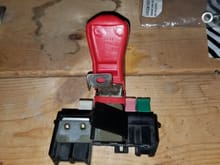
New boot in place and the fuse block is standing by for the battery to be reinstalled.
0 2020/04/12 17:45:20 Gen2n3
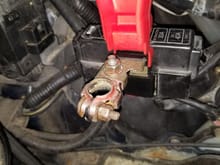
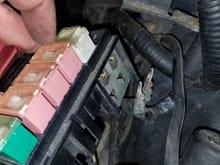
All 4 10mm bolts reconnected to the fuse block. New boot open to reveal the positive battery terminal.
0 2020/04/12 17:45:18 Gen2n3
Positive battery terminal extension installed and boot fitted around the angled housing of the fuse block. The "side" opening goes through this section.
0 2020/04/12 17:45:17 Gen2n3
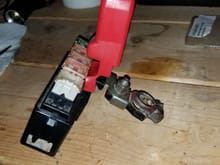
The terminal blade and boot placed into the fuse block. Narrow black access cover still open.
0 2020/04/12 17:45:15 Gen2n3
JP3 Motorsports boot positioned over the terminal blade. Note the "side" opening.
0 2020/04/12 17:45:14 Gen2n3
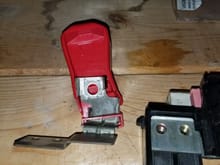
JP3 Motorsports boot partially installed on terminal blade. Note the narrow black access cover is still open.
0 2020/04/12 17:41:54 Gen2n3
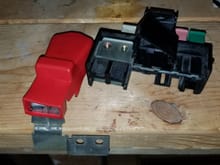
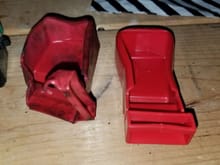
Side by side comparison between the OEM boot at JP3 Motorsports boot.
0 2020/04/12 17:41:53 Gen2n3
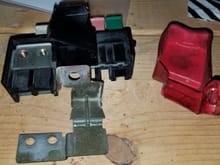
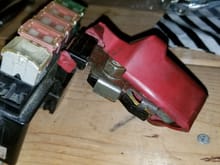
Terminal blade removed and old boot removed. Note the narrow black access cover is open.
0 2020/04/12 17:41:52 Gen2n3
Positive battery terminal extension chocked in a vise. USE CAUTION when applying torque to remove 12mm bolt!
0 2020/04/12 17:37:07 Gen2n3
Fuse block removed from car.
0 2020/04/12 17:37:05 Gen2n3
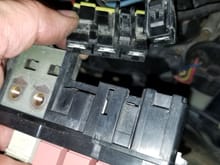
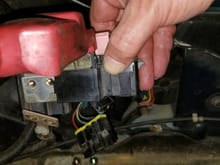
Fuse block rotated 90* counter-clockwise. Press and pull the 3-pin connector out.
0 2020/04/12 17:37:04 Gen2n3
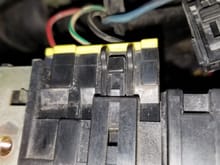
Fuse block rotated 90* counter-clockwise to reveal the locking tabs. Press and pull the 1-pin connector.
0 2020/04/12 17:37:03 Gen2n3
Left side bolts (2-10mm bolts) removed and terminal blade moved away.
0 2020/04/12 17:37:01 Gen2n3
Fuse block cover removed and right side bolts (2-10mm bolts) removed.
0 2020/04/12 17:36:59 Gen2n3
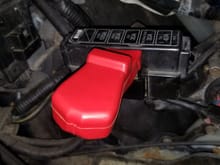
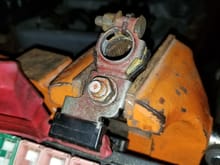
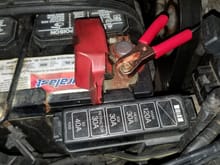
Old and torn boot on Positive terminal. Disconnect battery and remove.
0 2020/04/12 17:35:56 Gen2n3
0 2020/02/28 21:49:53 Gen2n3
0 2020/02/28 20:55:16 Gen2n3
0 2020/02/28 20:37:42 Gen2n3
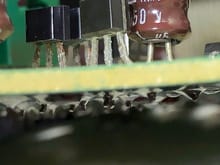
One leg of C9 does not look pretty. A proper solder joint should be smooth on both sides.
0 2020/02/28 20:35:00 Gen2n3
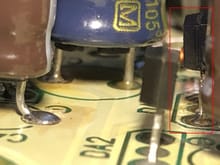
Look at the center leg of TR7. It looks like a cold solder joint and/or it could be broken.
0 2020/02/28 20:34:58 Gen2n3
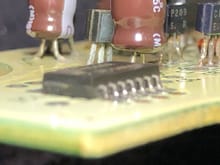
A different shot of C6. IC1 is in the foreground. Note the warping of the bottom section of C6.
0 2020/02/17 20:06:45 Gen2n3
Again, this should be C6 that appears to have a blister around the narrow ring. You can also see the acid ate away the plating on 3 legs (might be DA1).
0 2020/02/17 20:06:43 Gen2n3
This looks like a good example of a failed capacitor. It should be C6. Note the abnormal blister along its bottom edge.
0 2020/02/17 20:06:41 Gen2n3
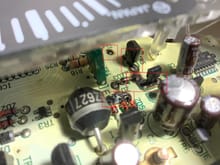
Again, the capacitor on the left looks like C6. DA1 and TR7 is front and center. Use an acid brush with isopropyl alcohol along the legs and bottom edge of these components. I see a green tinge on the bottom of TR7.
0 2020/02/17 20:06:39 Gen2n3
What capacitor is on the left? Is that C6? That one looks like it "gave up the ghost". Notice the swelling/deformation along the base.
0 2020/02/17 20:06:37 Gen2n3
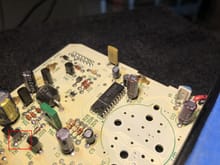
These 3 capacitors are the ones that fail the most. They are C3, C4, and C6. They appear to have swelled tops.
0 2020/02/16 17:23:20 Gen2n3
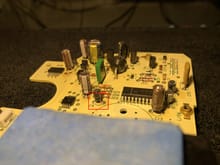
The capacitor, C16 inside the red box (left) does not look good. Note the brown ring at its base and the swelled top.
0 2020/02/16 17:23:17 Gen2n3
These red boxes are very BAD! Bad as in they look fried. I suspect the board may be physically charred in certain spots.
0 2020/02/16 17:22:57 Gen2n3
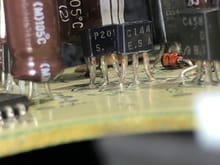
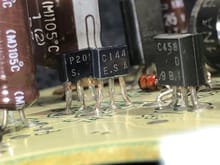
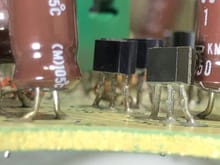
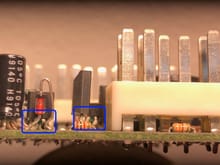
Examine the legs of the transistors inside these 2 blue boxes.
0 2020/02/13 11:29:19 Gen2n3
Observing flight operations onboard USS GEORGE H.W. BUSH (CVN-70)
0 2019/11/07 18:51:56 Gen2n3
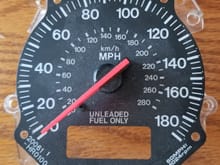
USDM 180MPH Speedometer.
0 2019/09/07 13:23:54 Gen2n3
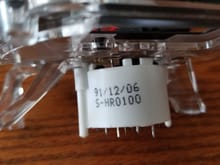
USDM Speedometer Stepper Motor Part Number.
0 2019/09/07 13:23:52 Gen2n3
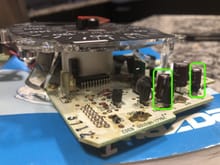
This is a different angle that shows capacitors C2 (left) and C4 (right). Take closer photos and verify their tops are flat or bulged out.
0 2019/08/27 19:48:02 Gen2n3
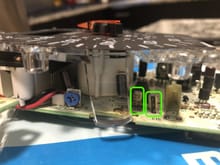
Take a closer look at these 2 capacitors, C16 and C17. Their tops looks bulged out, especially C17. Again, this is a sign of replacement.
0 2019/08/27 19:48:01 Gen2n3
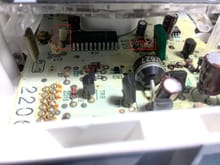
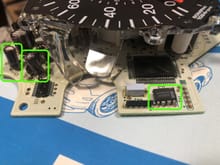
Take a closer look at these 2 capacitors, C4 and C6. Their tops look bulged out, which is a sign of replacement. Take a closer photo then post.

Take another look at IC3. It looks crooked. Make sure that each leg does not touch one another. This chip stores the odometer reading.

Take a closer look at these 2 capacitors, C4 and C6. Their tops look bulged out, which is a sign of replacement. Take a closer photo then post. Take another look at IC3. It looks crooked. Make sure that each leg does not touch one another. This chip stores the odometer reading.
0 2019/08/27 19:48:00 Gen2n3
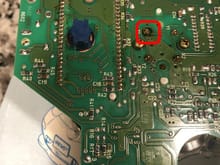
The red box shows what looks like burn marks around the solder joint. This is 1 of 4 solder joints to the speedometer face. It must be de-soldered then soldered in place when necessary.
0 2019/08/27 19:47:58 Gen2n3
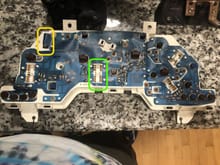
The yellow box is the Speedometer connector, CON1. Please verify the flex print is properly seated and secured by the push-down clip.

The green box is the 3-Series connector where you need to measure the VSS voltage.
The yellow box is the Speedometer connector, CON1. Please verify the flex print is properly seated and secured by the push-down clip. The green box is the 3-Series connector where you need to measure the VSS voltage.
0 2019/08/27 19:47:57 Gen2n3
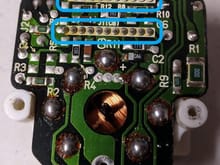
Remove/replace solder from the rear of the PCB. The highlighted sections are the pins to IC1.
0 2019/08/10 12:41:10 Gen2n3
Use the icon in the red box to post pics.
0 2019/07/09 16:46:43 Gen2n3
First
Page
2 of 15
Last
Go To
Page
  • 1
  • 2
  • 3
  • 4
  • 5
  • 6
  • 7
  • ...
  • 15
2 of 15
Go To GO
Go to page of 15 pages
  • 1
  • 2
  • 3
  • 4
  • 5
  • 6
  • 7
  • ...
  • 15

Top
RX7Club.com - Mazda RX7 Forum
  • Contact Us
  • FAQ
  • Archive
  • Advertising
  • Cookie Policy
  • Privacy Statement
  • Terms of Service
  • Your Privacy Choices
  • Manage Preferences

© 2026 MH Sub I, LLC dba Internet Brands

Follow Us        


When you click on links to various merchants on this site and make a purchase, this can result in this site earning a commission. Affiliate programs and affiliations include, but are not limited to, the eBay Partner Network.