When you click on links to various merchants on this site and make a purchase, this can result in this site earning a commission. Affiliate programs and affiliations include, but are not limited to, the eBay Partner Network.
Adaptronic Wari and Eugene Driver Process for Windows 10
Does anyone still have the info on how to get windows 8 or 10 to sync up with the older S6 PnP unit? Local guy here has an adaptronic and can't seem to get it to communicate with his windows 10 laptop and all of the threads I can find searching tie back to a thread and instruction set that was originally on the adaptronic forums that have since been deleted. I know I had at some point in the past figured that out...but its been probably 4 years and I can't remember or find anything definitive on it.
Not sure if this helps but I have trouble with com if i plug the usb cable in with the key off. I usually have to turn the key to the on position then plug the usb cable in and it will work. also may be worth unloading and re-loading the driver in windows.
I had the same problem. When you do the windows update it removes the adaptronic drivers. What you need to do is reload the adaptronic software and drivers. It will over ride the current drivers for you. IF that doesn't work let me know. I can go over my notes and see what I did.
I've had a bitch of a time connecting my m1200 to my asus windows 10, 2 in 1 laptop. Once in a blue moon it will connect on the first plug in. But 9 out of 10 attempts I have to plug and unplug the usb 4-5 times. When I first bought it it connected flawless, the last year or more its acted like this. I changed usb cords and still no change. Adaptronic has been zero help so I just put up with it... I've completely removed the software and reinstalled it, drivers included with no change.
I've had a very similar problem. So basically you're saying to just unplug and replug until it works and try with the key on and off. Just bought my FD with an S6 Select ECU and I have been unable to get the ecu to connect to WARI or Eugene even once. Drivers are installed and it recognizes that there is an ECU, but gets stuck on "Waiting for ECU connection". Adaptronic tech support sucks too so no help there.
Thanks for the input everyone. As it turns out, the local guy down the road who was asking for tune help managed to grenade the engine in the FD he had just bought a few days after I posted this. It was running shoddy, on a random basemap and he decided to go throw WOT donuts and kill it. Some people you just can't help....
Thanks for the input everyone. As it turns out, the local guy down the road who was asking for tune help managed to grenade the engine in the FD he had just bought a few days after I posted this. It was running shoddy, on a random basemap and he decided to go throw WOT donuts and kill it. Some people you just can't help....
Skeese
wow is this the kind of person that ends up swapping a boat anchor in and blaming the rotary later.
wow is this the kind of person that ends up swapping a boat anchor in and blaming the rotary later.
Haha yeah. The really scary part is that I met the guy because he messaged me out of nowhere with "will you sell your car". I told him everything is always for sale for the right price and tossed out a dumb price which didn't seem to phase him. Kid clearly had a TON of money and had spent time buying/selling expensive cars before so I thought maybe he was serious. I told him it would be a week before I could show it and apparently he couldn't wait and had went and bought another and blew it up. Even for the dumb price, glad I didn't send mine off for torture. That kid would have probably killed himself in mine anyways.
I had this problem. It started off only happening every once in awhile. Then slowly got worse. Ended up being the plug in the ECU broke off. Had to get it resoldered at a local computer repair shop.
my Select ecu doesn't connect to Eugene but does connect to WARI on windows 10. once in a while it doesnt connect and i just unplug the usb from the laptop and reconnect and it works. one time i was doing some logging on the road and it lost connection.
I wanted to repost/update the instructions for how to install the Adaptronic drivers for the older ECUs on Windows 10. We still use a Select PnP and ran into this issue last week when setting up a new tuning laptop.
The original instructions were posted on the now defunct Adaptronic forum; luckily, the thread was archived by WaybackMachine. The details are different for Windows 10, but close enough to reference: https://web.archive.org/web/20160326...p?topic=6079.0
DISABLE DRIVER SIGNATURE ENFORCEMENT
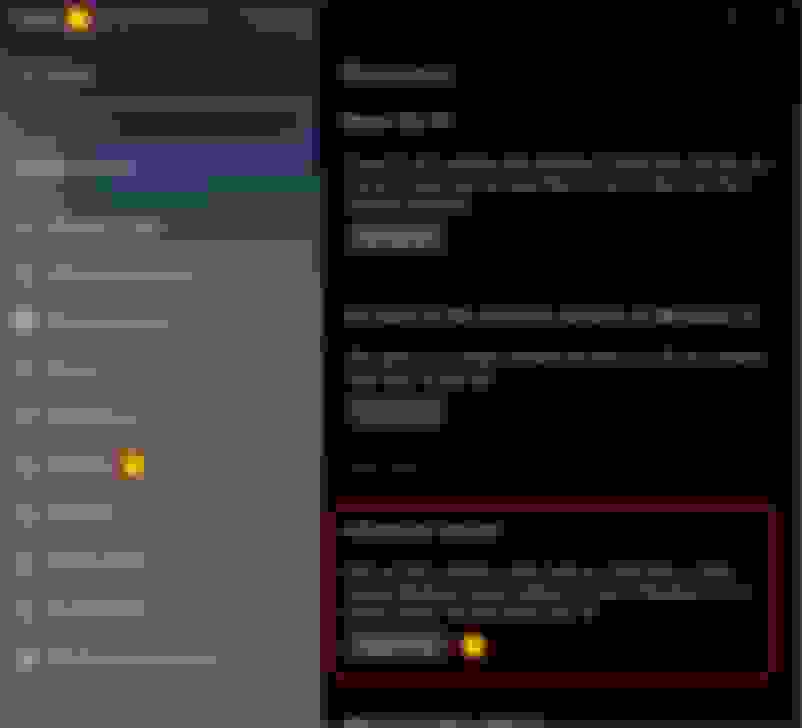
Navigate to Settings >>> Recovery >>> Advanced Startup >>> Restart Now
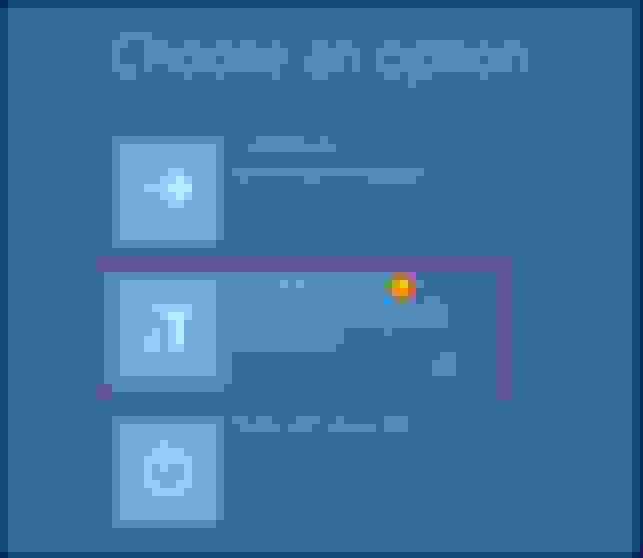
Select Troubleshoot
Select Advanced Options
Select Startup Settings
Select Restart
Press number key 7 or F7 to Disable Driver Signature Enforcement.
PC will reboot with driver signature enforcement disabled until next reboot.
INSTALL ADAPTRONIC DRIVER
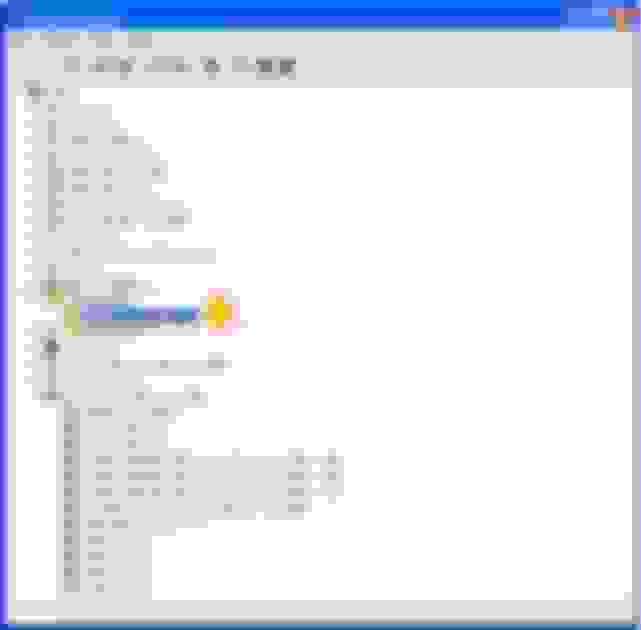
Connect ECU via USB. Open Device Manager. Locate your ECU (there will be warning flag next to the device indicating a driver issue).
Right click >>> Update Driver.
Select Browse My Computer For Driver Software
Ensure Include Subfolders is checked.
Select Browse and locate the "Adaptronic Engine Management" folder. Select the Signed Drivers folder.
Note: This location can change depending on what path you chose at install and if you have 32 or 64bit OS. Typically this will be found in Program Files or Program Files (x86).
When prompted with a Windows Security warning select Install This Driver Software Anyway.
After successful driver installation, Device Manager will recognize that ECU is connected with no driver error.
Hope this is helpful for the few still enjoying and using the older ECUs.










 wow is this the kind of person that ends up swapping a boat anchor in and blaming the rotary later.