SPinning rotor animation


Thread Starter
add to cart

Joined: Jun 2002
Posts: 4,181
Likes: 0
From: Saskatoon, SK & Montreal, PQ
SPinning rotor animation
a while back there was a thread for a spinning rotor animation for the throbber in the upper right corner of Internet Explorer. I've searched, but can't find it again.
I've got the .bmp and am looking to put the spinning rotor in place of the windows flag, but can't recall how to do that.
I've got the .bmp and am looking to put the spinning rotor in place of the windows flag, but can't recall how to do that.


Thread Starter
add to cart
Joined: Jun 2002
Posts: 4,181
Likes: 0
From: Saskatoon, SK & Montreal, PQ
Originally Posted by Rusty Shackleford
this?


Senior Member

Joined: Oct 2002
Posts: 596
Likes: 0
From: Hampton, VA
For mozilla, you just need the animated image as far as I know. The theme is a CSS file, and if you just replaced the original "Activity Indicator" with the rotor image (if they're the same file type) that is all you'd need to do. If they are different file types, you probably will have to edit the CSS file.
If Manntis attaches the image, I'll edit my theme and post a howto (or upload the theme) for you guys.
If Manntis attaches the image, I'll edit my theme and post a howto (or upload the theme) for you guys.
Trending Topics

Too old to act my age

Joined: Feb 2005
Posts: 3,164
Likes: 0
From: Tulsa, Ok.
Originally Posted by Roundabout
Thread Starter
add to cart
Joined: Jun 2002
Posts: 4,181
Likes: 0
From: Saskatoon, SK & Montreal, PQ
Originally Posted by Roundabout


RotaryOnly
Joined: Dec 2004
Posts: 90
Likes: 0
From: PENNSYLVANIA
go to the link roundabout posted and follow the instructions (its easy)
This? http://ausrotary.dntinternet.com/fo...pic.php?t=13191
they should make this with an FB
This? http://ausrotary.dntinternet.com/fo...pic.php?t=13191
they should make this with an FB

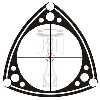
Thread Starter
add to cart
Joined: Jun 2002
Posts: 4,181
Likes: 0
From: Saskatoon, SK & Montreal, PQ
Installation instructions:
Save the image I attached above to a convenient place on the hard drive. I put mine just inside the Internet Explorer folder, since it'll be an IE feature. So in my case, the path to the image was:
C:\Program Files\Internet Explorer\ierotary.bmp
click on your 'start' button in the lower left corner of your desktop.
click 'run', enter 'regedit', and click 'ok'
Now be careful - the registry isn't something you casually screw with so don't deviate from the following:
The registry is set up like most windiws folder trees. Click on a folder and it expands the contents.
click HKEY_CURRENT_USER
click Software
click Microsoft
click Internet Explorer
click Toolbar
You'll see 'Name/Type/Data' to the right. right-click on any part of the white space, and a menu will pop up with 'new'.
Click on it and select 'string value'. Name the string 'SmBrandBitmap'.
Right-click on the string name and select 'Modify', then enter the path to where you saved the ierotary.bmp file (e.g. C:\Program Files\Internet Explorer\ierotary.bmp)
Close the registry window and close Internet Explorer. Next time you open IE, instead of the windows flag throbber you should see the rotor. When IE is loading a page, the rotor will spin.
Save the image I attached above to a convenient place on the hard drive. I put mine just inside the Internet Explorer folder, since it'll be an IE feature. So in my case, the path to the image was:
C:\Program Files\Internet Explorer\ierotary.bmp
click on your 'start' button in the lower left corner of your desktop.
click 'run', enter 'regedit', and click 'ok'
Now be careful - the registry isn't something you casually screw with so don't deviate from the following:
The registry is set up like most windiws folder trees. Click on a folder and it expands the contents.
click HKEY_CURRENT_USER
click Software
click Microsoft
click Internet Explorer
click Toolbar
You'll see 'Name/Type/Data' to the right. right-click on any part of the white space, and a menu will pop up with 'new'.
Click on it and select 'string value'. Name the string 'SmBrandBitmap'.
Right-click on the string name and select 'Modify', then enter the path to where you saved the ierotary.bmp file (e.g. C:\Program Files\Internet Explorer\ierotary.bmp)
Close the registry window and close Internet Explorer. Next time you open IE, instead of the windows flag throbber you should see the rotor. When IE is loading a page, the rotor will spin.
Senior Member
Joined: Oct 2002
Posts: 596
Likes: 0
From: Hampton, VA
I've gotta goto work, but I'll try and get this hooked up for the mozilla people tonight afterwards. If mozilla requires something else, I'll figure something out. 
Thanks for posting it Manntis.
Thanks for posting it Manntis.