


Just got Photoshop up and running...


Thread Starter

Joined: Aug 2005
Posts: 2,720
Likes: 1
From: Greenwood/Hartsville, SC.
Just got Photoshop up and running...
Here are two pics I've touched up a bit. This program is overwhelming, I need to find a "beginners guide" somewhere.
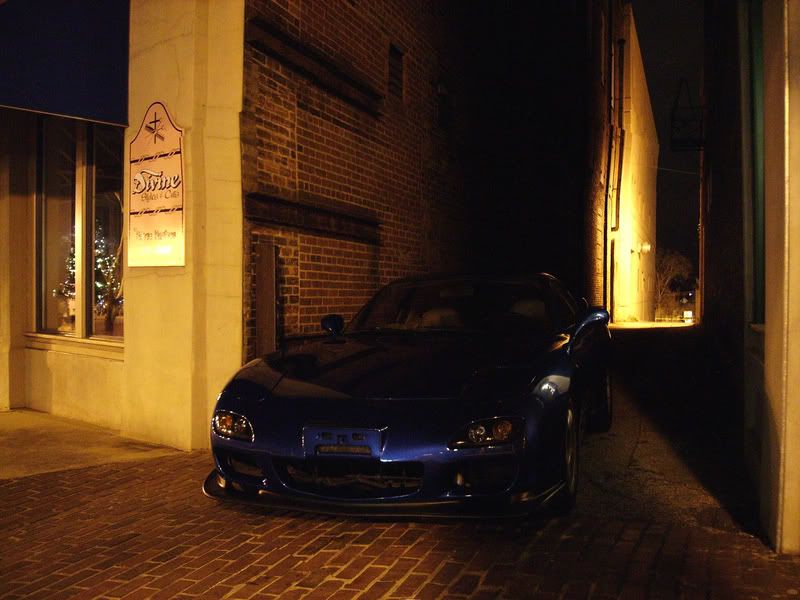
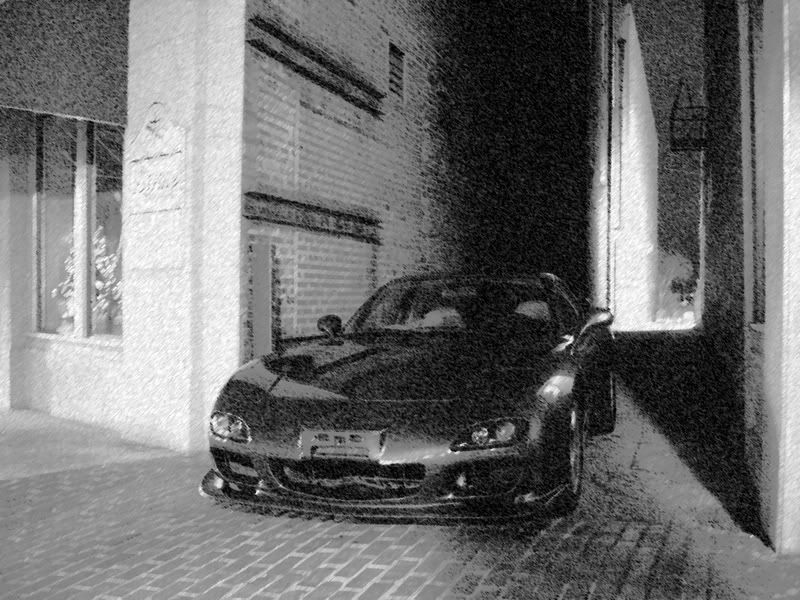

Not the company

Joined: Jul 2004
Posts: 5,040
Likes: 9
From: United States
Not bad, the car looks FANTASTIC!
Here's a site i used, don't know how helpful it will be for you and the things you need Photoshop for but;
http://www.digimods.co.uk/tutorials/tutorials.htm
Here's a site i used, don't know how helpful it will be for you and the things you need Photoshop for but;
http://www.digimods.co.uk/tutorials/tutorials.htm
Thread Starter
Joined: Aug 2005
Posts: 2,720
Likes: 1
From: Greenwood/Hartsville, SC.
Thanks, I'm gonna be heading back to that same spot with a little bit of extra lighting. I really had to change the color and brightness of the picture to be able to see much of the car, so some of the clarity dropped a bit. I really like how the charcoal picture came out though.


Thread Starter
Joined: Aug 2005
Posts: 2,720
Likes: 1
From: Greenwood/Hartsville, SC.
Sure do, over in Greenwood, but I'm from Hartsville originally. I know exactly where Easley is, I'm a little over an hour away. Unholy, if you were talking about my car, nope, don't plan to sell it anytime soon unless I get a really good offer I can't refuse. I'll head on over to ebay to see if someone's using a pic of mine though.
Trending Topics



Senior Member

Joined: Nov 2006
Posts: 405
Likes: 0
From: Airdrie, Alberta
Originally Posted by rx7twinturboboy
Not bad, the car looks FANTASTIC!
Here's a site i used, don't know how helpful it will be for you and the things you need Photoshop for but;
http://www.digimods.co.uk/tutorials/tutorials.htm
Here's a site i used, don't know how helpful it will be for you and the things you need Photoshop for but;
http://www.digimods.co.uk/tutorials/tutorials.htm
This link will help you do almost anything you would ever want to with photoshop. It is a great tutorial.
Thread Starter
Joined: Aug 2005
Posts: 2,720
Likes: 1
From: Greenwood/Hartsville, SC.
Originally Posted by jic
got any better pics of ur FD?
the paint looks badass
IBM?
the paint looks badass
IBM?
you'll find that if you just experiment with what tools you try and in different ways... you will learn more. just go poke around. one important thing if you try something and it screws you up is,
for PC: control+alt+Z
for mac: option+apple+Z
its to undo your last action... just do one test shot of the tool you dont know about. that way you can see a "before and after".
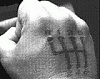
if you have different layers... open the layer dialog box and make sure you are on the right one. just mess around and try different stuff. i cant sleep and just ripped CS2 back onto my computer from when i lost it last time it crashed. so i just goofed this up.

its grainy as hell and im about to vomit so ill just leave it and get off here. haha.
for PC: control+alt+Z
for mac: option+apple+Z
its to undo your last action... just do one test shot of the tool you dont know about. that way you can see a "before and after".
if you have different layers... open the layer dialog box and make sure you are on the right one. just mess around and try different stuff. i cant sleep and just ripped CS2 back onto my computer from when i lost it last time it crashed. so i just goofed this up.
its grainy as hell and im about to vomit so ill just leave it and get off here. haha.

Thread
Thread Starter
Forum
Replies
Last Post
Infini IV
2nd Generation Specific (1986-1992)
7
Feb 4, 2003 12:19 AM
EfinireFD3S
Interior / Exterior / Audio
6
May 24, 2002 06:27 PM