


Rtek TrimPal - New AFR Tuning Tool


Thread Starter
RX-7 Old Timer

Joined: Jul 2004
Posts: 321
Likes: 10
From: Ann Arbor, MI
TrimPal - New AFR Tuning Tool
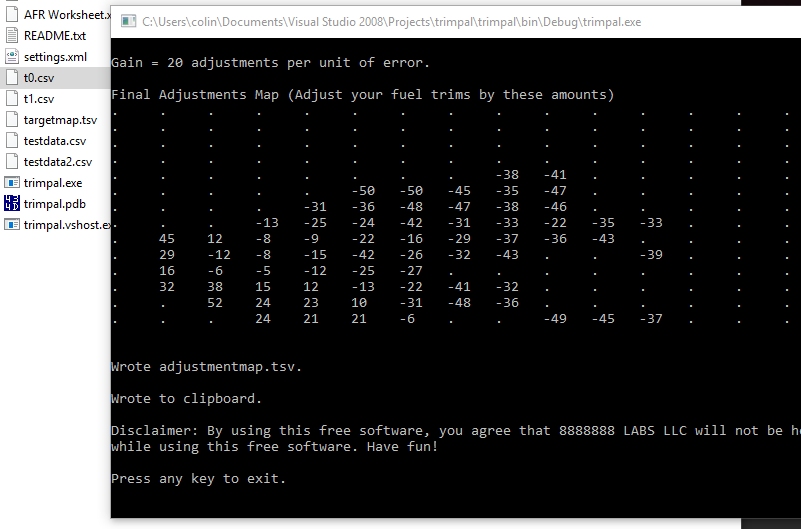
I built an app that uses RTek7 logs (with wideband data) and an AFR Target map to generate suggested adjustments. Sort of a poor-mans learning ECU.
The data it spits out looks like this:
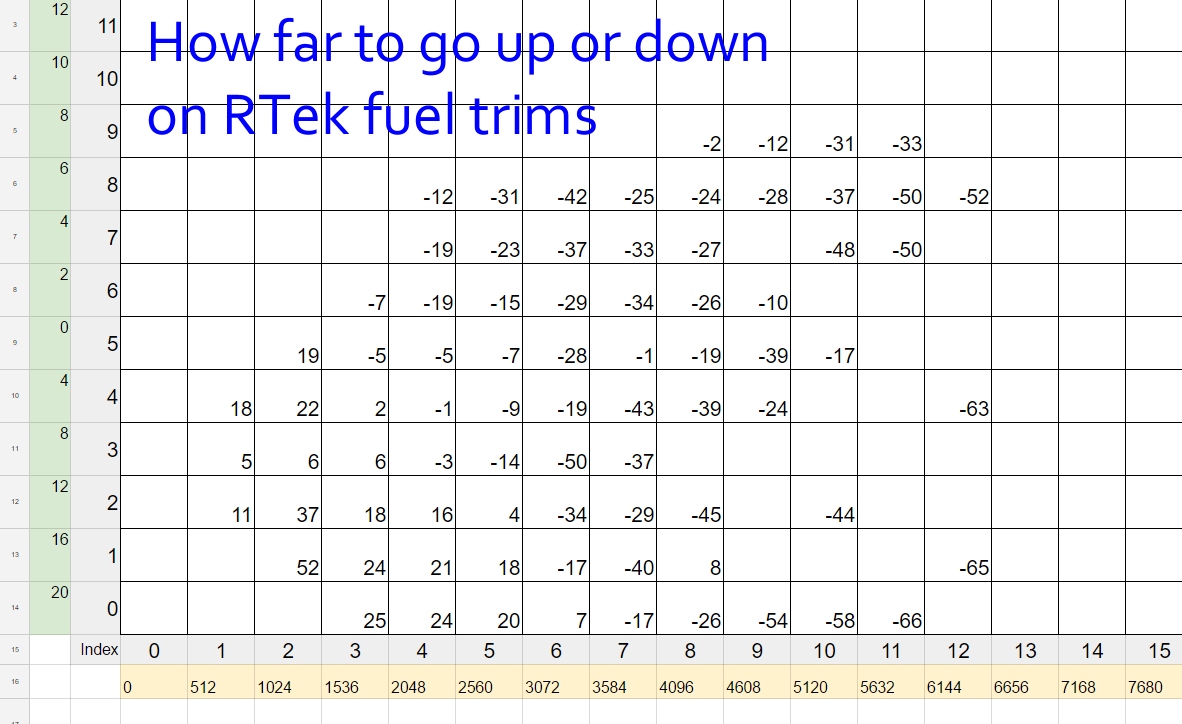
It's simply comparing logged AFRs vs Target AFRs, per cell, and computing a proportional correction in terms of RTek7 interface "clicks".
So far, this has vastly helped my get my AFRs in check.
arghx, I included a version of your "conservative" AFR target map as baseline.
Have fun!
TrimPal_1.2.zip
Last edited by ColinShark; Jun 4, 2016 at 09:55 PM. Reason: Updated to V1.2


Thread Starter
RX-7 Old Timer
Joined: Jul 2004
Posts: 321
Likes: 10
From: Ann Arbor, MI
This works well to rough in the map.
I did about 6 iterations with a gain value of 10. Lots and lots of tapping the adjustment button.
At this point, I am spot checking my logs and making adjustments from that. Full throttle runs still produce an AFR curve with spikes, so I am adding fuel back in at key spots (even though the average in TrimPal tells me to remove fuel).
I did about 6 iterations with a gain value of 10. Lots and lots of tapping the adjustment button.
At this point, I am spot checking my logs and making adjustments from that. Full throttle runs still produce an AFR curve with spikes, so I am adding fuel back in at key spots (even though the average in TrimPal tells me to remove fuel).
Thread Starter
RX-7 Old Timer
Joined: Jul 2004
Posts: 321
Likes: 10
From: Ann Arbor, MI
K, my tune is solid.
I used TrimPal to rough in my initial map.
From there, I ended up ignoring a lot of the lower left corner due to air pump injection throwing off the AFRs. Some of this map, I just zero'ed out.
My final tune was by hand, with a lot of smoothing by eyeball in the 3D map view. TrimPal won't make a smooth map, and I suspect that most of the roughness is due to the lag and inaccuracy of the stock ECU. About two sessions smoothing the map by hand, and my tune is solid.
I did have to put a "shelf" in at the secondary transition point, because there was always a lean spike right afterwards. The lean spike is now smaller and it's rich enough there to be acceptable.
I used TrimPal to rough in my initial map.
From there, I ended up ignoring a lot of the lower left corner due to air pump injection throwing off the AFRs. Some of this map, I just zero'ed out.
My final tune was by hand, with a lot of smoothing by eyeball in the 3D map view. TrimPal won't make a smooth map, and I suspect that most of the roughness is due to the lag and inaccuracy of the stock ECU. About two sessions smoothing the map by hand, and my tune is solid.
I did have to put a "shelf" in at the secondary transition point, because there was always a lean spike right afterwards. The lean spike is now smaller and it's rich enough there to be acceptable.




Trending Topics
Thread Starter
RX-7 Old Timer
Joined: Jul 2004
Posts: 321
Likes: 10
From: Ann Arbor, MI
Sorry, download link was 404ing. It's back up.
No, there is an export step from the PocketLogger Viewer/RX-7 Viewer desktop application. TrimPal is a quick and dirty tool. A fancier tool would be running on the Palm itself.
I don't have that hardware. If I upgrade, I'd probably go Adaptronic.
No, there is an export step from the PocketLogger Viewer/RX-7 Viewer desktop application. TrimPal is a quick and dirty tool. A fancier tool would be running on the Palm itself.
I don't have that hardware. If I upgrade, I'd probably go Adaptronic.

I'm having issues using this.. I know, thread resurrection. Followed the instructions in the readme file (dead easy), but my old PC laptop refuses to open the file. I'm a mac guy, so I can't use my usual computer... instead, I am using an old Compaq Armada 800-something-mhz running XP. When I try to open the log file with Trimpal, I get a message saying "The application failed to initialize properly [0xc0000135]. Click on OK to terminate the application."
....Any ideas? This is the only PC I own haha
....Any ideas? This is the only PC I own haha

Thread
Thread Starter
Forum
Replies
Last Post
Brucipher
General Rotary Tech Support
10
May 15, 2016 09:11 PM
DR_Knight
2nd Generation Specific (1986-1992)
1
May 10, 2016 11:33 PM