When you click on links to various merchants on this site and make a purchase, this can result in this site earning a commission. Affiliate programs and affiliations include, but are not limited to, the eBay Partner Network.
So this carpc doesn't have any options for initiating a pair to the bluetooth module for the ECU, so as of right now, with the current software/firmware, it won't work for what I need. But an IT buddy at work is looking into it to see if there is something I can do.
I don't believe that's an option, at least not the way it's currently installed. Chris wired a bluetooth module to the ECU, but you can wire it through CAN to a dash display so I'm wondering if that would work to wire it to the stereo. Although it's kinda handy sometimes being able to view different things on the iPad while I'm messing around in the engine bay. I'm sure I'd only use it a few times though lol.
Zotac Ion MB with dual core atom
Vroom2 case
M2 ATX DC to DC intelligent power supply
7 Inch touchscreen
Long USB Extension
Long HDMI
Cheap Amp
Running Windows 10 with custom Software
Still doing some fabrication as the rx7 doesn't have a double din as you can see from the gaps
Pics Below:
Last edited by RaptureAus; Dec 15, 2015 at 10:33 AM.
Oh damn. After deciding to do this myself I did a search, figured I can at least show what I have so far.
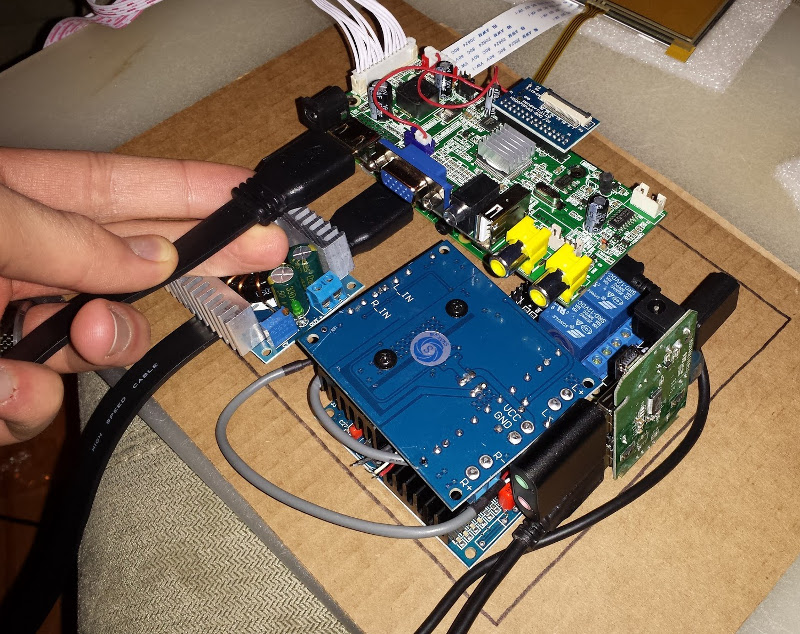
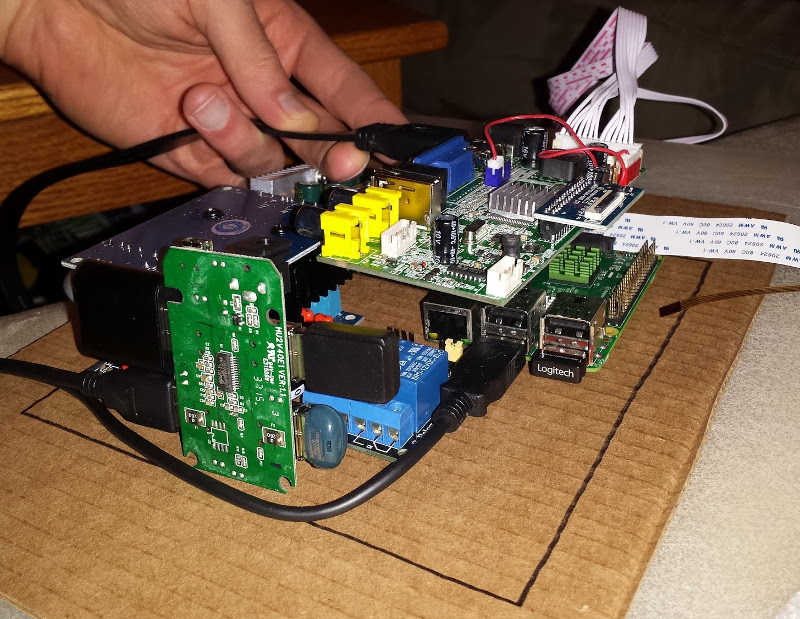
I'm using a Raspberry Pi 2 Model B to drive the project, and I set out to have a fully functional system to do everything I wanted, with touchscreen support and no missing functionality.
I want bluetooth audio streaming, and optionally the ability to pair my phone for calls while on the road. Podcasts and internet radio should be available by tethering to my phone over wifi. GPS should be built in, as something like Android Auto isn't fully supported yet. Most importantly I would like the ability to log all data from the ecu (PowerFC). I could also optionally include FM radio, and backup/traffic cams.
Luckily I either have all the parts I need or they are on their way. RasPexi Viewer will work for logging info from my PowerFC using SonicRaT's USB Adapter (not shown), displaying gauges, driving flashing disco lights, etc.
On the front I'm planning on two dials: a 2-channel potentiometer for volume, and a rotary encoder for controlling... things. I'll be able to adjust front/back fade internally, and stereo balance will be done in software. Overall I'll be able to provide 50W each across all 4 channels (or really like 15W if I'm lucky haha), which should be perfect.
I'll be using a couple of relays and transistors plus scripts on the Pi to physically disconnect the system from the car once a clean shutdown has occurred after a period of time. As you can see I should have no trouble fitting all the components into the space in the dash. The black rectangle is a little smaller than a standard double DIN unit, so I have some room to spare as long as I don't connect any cables like in these pictures.
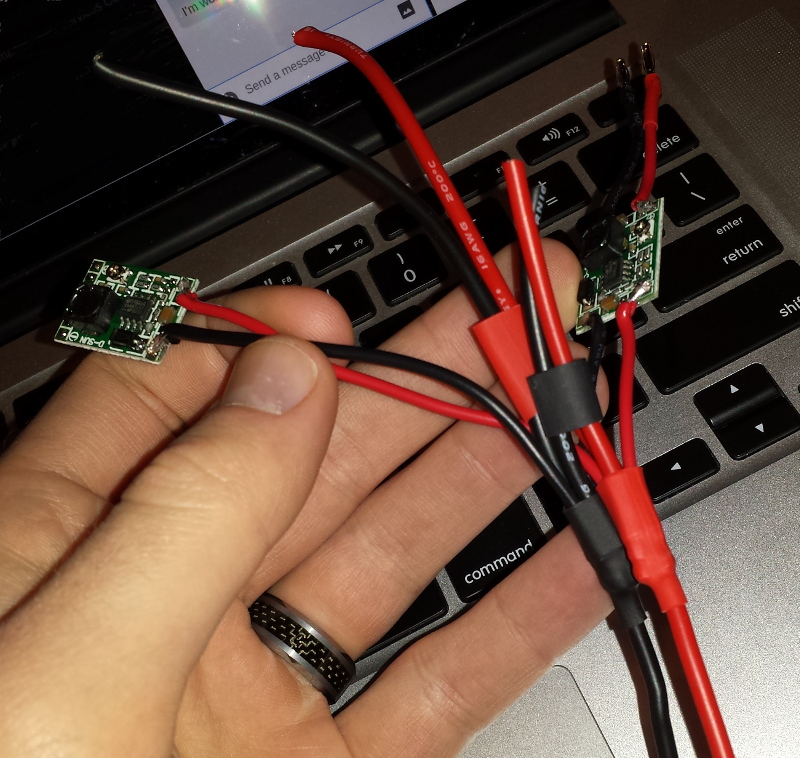
At this point I've completed the internal wiring harness which connects to all the internal components from the power supply, with little voltage regulators inline. The oem plug Scosche adapter comes in from the back and attaches to some nicely managed cables with banana plugs, which means no splicing into the car stereo harness anywhere.
Since everything gets power the last step is going to be for me to figure out how to mount front plate/screen and controls in the front and make it look good. The plan is to design some brackets to hold the screen in place and provide mounting points for everything, and then get them 3d printed exactly how I want them.
Hopefully I can finish this up pretty soon, as I've got quite a bit of driving to do to break in my motor.
That's awesome! I thought about trying to build it myself but I'm not too advanced at stuff like this lol. I can't wait to see the finished product.
I haven't done much with mine. My buddy at work hasn't said anything to me about any options to make my current CarPC work, so I'm going to look into some of the Pioneer units and whatever else that has the ability to connect to Apple or Android. Hopefully they are hooked up to wifi in the store so I can do a search for the Syvecs app for my ECU, and I'll look to see if it can initiate a pair with other bluetooth devices. If it has both of those capabilities, I'll probably buy it.
I stopped by a local car stereo place today. I was looking at the Pioneer AVIC8100N and AVIC4100N. The salesman was trying to get his phone to work with the 8100 using Android Auto but it wasn't working, and he said Apple Car Play works right away. I want to make sure this is going to work before I buy one though, they're $1200 at that place.
I already have an iPad mini that I've been using, it already has the Syvecs app downloaded and the app is already configured. I'm going to take it to the stereo place to see if it works with the Pioneer. If it does, I'll just leave the iPad hooked up to it all the time and load music on it too so I'll have that capability too. This could solve all my problems.
So I didn't do any testing in the store with the Pioneer before I bought it and it's been biting me in the *** lol, but I'm making some headway. I ended up getting a Pioneer AVIC8100NEX. It has Apple Car Play, Android Auto, and Mirror Link.
I've had the iPad mini set up with the app for a while now, but it wouldn't link with the stereo using Car Play. Even if it had I don't think it would work that way. So I got a 6th gen iPod Touch and set up the app on it and that still wouldn't work through Car Play, and Mirror Link didn't show up as an option for Apple but it did for Android.
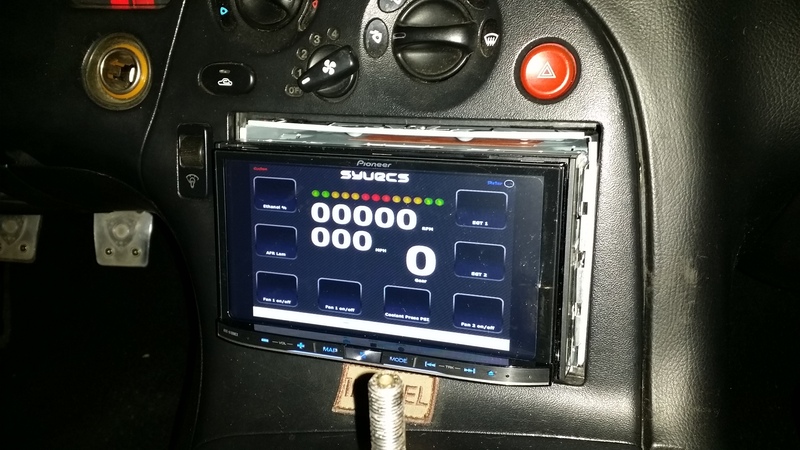
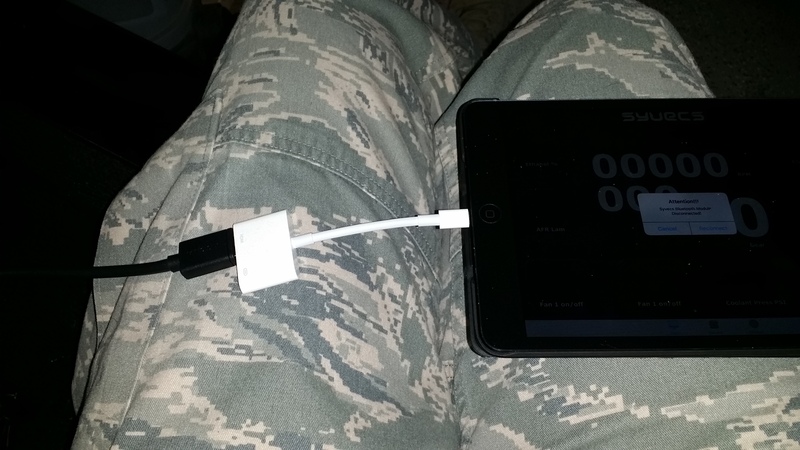
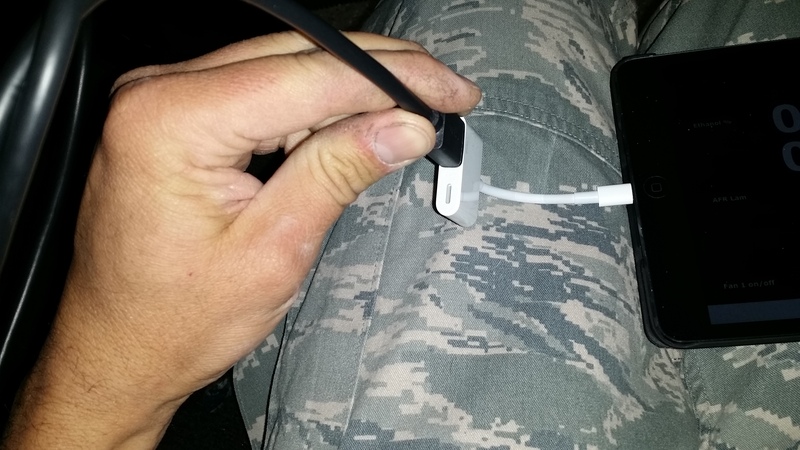
I picked up a lightning digital AV adapter and ran an HDMI cable from the stereo to it and then plugged the adapter into the iPod and iPad and it worked on both.
There are a couple drawbacks.
1. Since it merely shows what's on screen I have to still make any changes/adjustments through the iPod or iPad. No biggie, I doubt I'll be changing boost or traction control often enough for it to be mandatory on the stereo.
2. No music is played while the HDMI port is chosen. I don't usually listen to anything while I'm driving anyway, but I'm still going to see if I can find another remedy. I'll see if I can get Mirror Link to work somehow.
Another thing to note...using the iPod offsets the screen to the left, but the iPad puts it right in the center of the stereo screen. Also, the adapter has a lightning port so you can charge the iPod or whatever at the same time.









 .
.