


How to put pics up


 How to put pics up


Joined: Apr 2002
Posts: 3,700
Likes: 7
From: St. Louis/Southern Illinois
You have two options here. You can either have an external host for your pictures like photobucket.com, imageshack, etc. and use [img] tags, or you can use the forum's attachment tool's.
To use [img] tags, you need to copy the URL's of the photo, and put the URL in between an [img] tag. However, you need to use [img] at the front, and then [/img] at the end of the URL to show the image.
To use the forum's upload tool's, you need to find something called "Manage Attachments". It's the same exact thing as sending a picture in an email, however the forum's upload limits are very small, but it still does work.
If you have any problems, just post up here, or send me a PM.
To use [img] tags, you need to copy the URL's of the photo, and put the URL in between an [img] tag. However, you need to use [img] at the front, and then [/img] at the end of the URL to show the image.
To use the forum's upload tool's, you need to find something called "Manage Attachments". It's the same exact thing as sending a picture in an email, however the forum's upload limits are very small, but it still does work.
If you have any problems, just post up here, or send me a PM.
Joined: Apr 2002
Posts: 3,700
Likes: 7
From: St. Louis/Southern Illinois
Sometimes facebook will not show up for people who are browsing at work. The best of doing it is attaching the pictures to the forum, then click on the attachments, copying the URL of the attachment, then editing your post with the attachment URL's. Attached pictures are not block by people's work computers.
But facebook does work, but not all the time for certain members.
But facebook does work, but not all the time for certain members.


im freaking retarded i cant get this figured out at all the pics on my comp are failing to load i have facebook and photobucket and i dont know what you mean by put img here img there and what about when you manage attachment do you put img there? do you put the link with out img?? im freaking confused
Last edited by rx7fitz; Jan 8, 2009 at 12:42 AM. Reason: i is retarded



Full Member

Joined: Sep 2006
Posts: 143
Likes: 0
From: Merced CA
Here's my how to post pictures
Alrighty... i was bored so i'll help a brother out..
First go to photobucket if u dont have an account, make one!
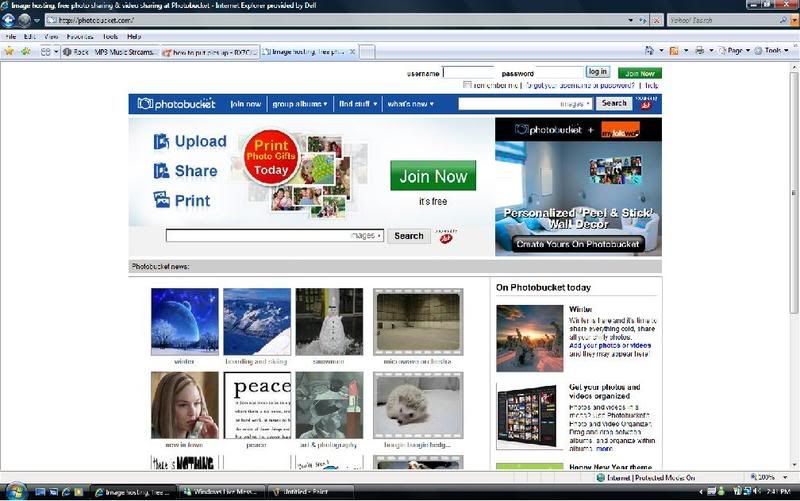
Next step is after your done making an account, upload your pictures whatever you want then it should pop up pictures in your album.
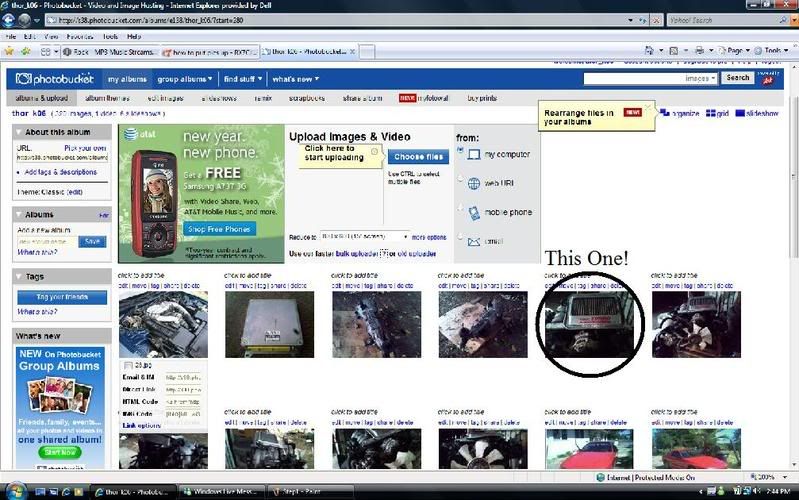
Choose any pictures you have uploaded and then click on it so it will take you to the actual picture.
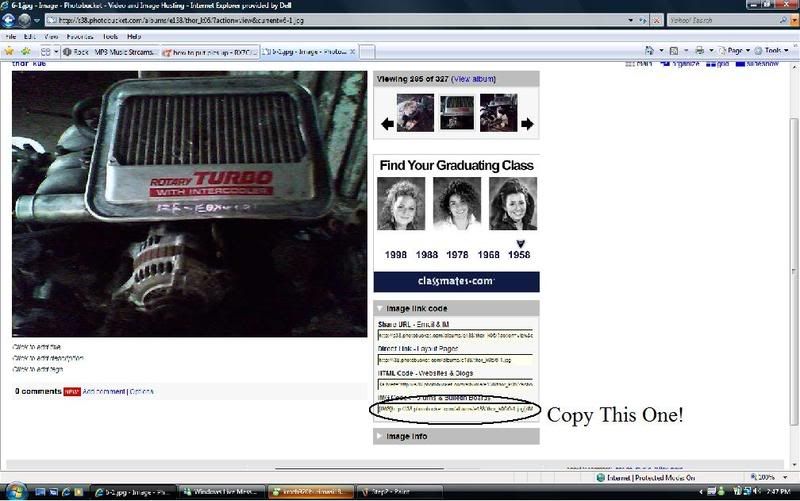
Then you go copy the last one there that i have circle and paste it on this forum and also to let you know that other website perfer different one's like the other three on top. Your welcome!
Keng Thor
First go to photobucket if u dont have an account, make one!
Next step is after your done making an account, upload your pictures whatever you want then it should pop up pictures in your album.
Choose any pictures you have uploaded and then click on it so it will take you to the actual picture.
Then you go copy the last one there that i have circle and paste it on this forum and also to let you know that other website perfer different one's like the other three on top. Your welcome!
Keng Thor
Trending Topics

Full Member
Joined: Sep 2006
Posts: 143
Likes: 0
From: Merced CA
you could copy and save it to your computer and save it to your photobucket, but why would you want to do that when people perfer the actual picture itself. Plus i think thats uhh what do you call it again plagurize?
Keng Thor
Keng Thor


Joined: Apr 2002
Posts: 3,700
Likes: 7
From: St. Louis/Southern Illinois
You can use the Forum's Attachment tools to upload photos. The only thing it will not do is show up in your post itself, but at the bottom of your post, and a user can click the attachment just like in an email. The only problem with that is the sizes are limited to which document you post. However, you can post up multiple forms of documents, including word documents.
You CAN'T put attachments in PM's though.
You CAN'T put attachments in PM's though.
Last edited by mar3; Feb 28, 2012 at 09:04 PM.

Joined: Apr 2002
Posts: 3,700
Likes: 7
From: St. Louis/Southern Illinois
Myspace is blocked through alot of people's work computers, so is photobucket. The best way of doing it is attaching the images to the forum. But work is work, you should not be browsing the forum's while at work. 
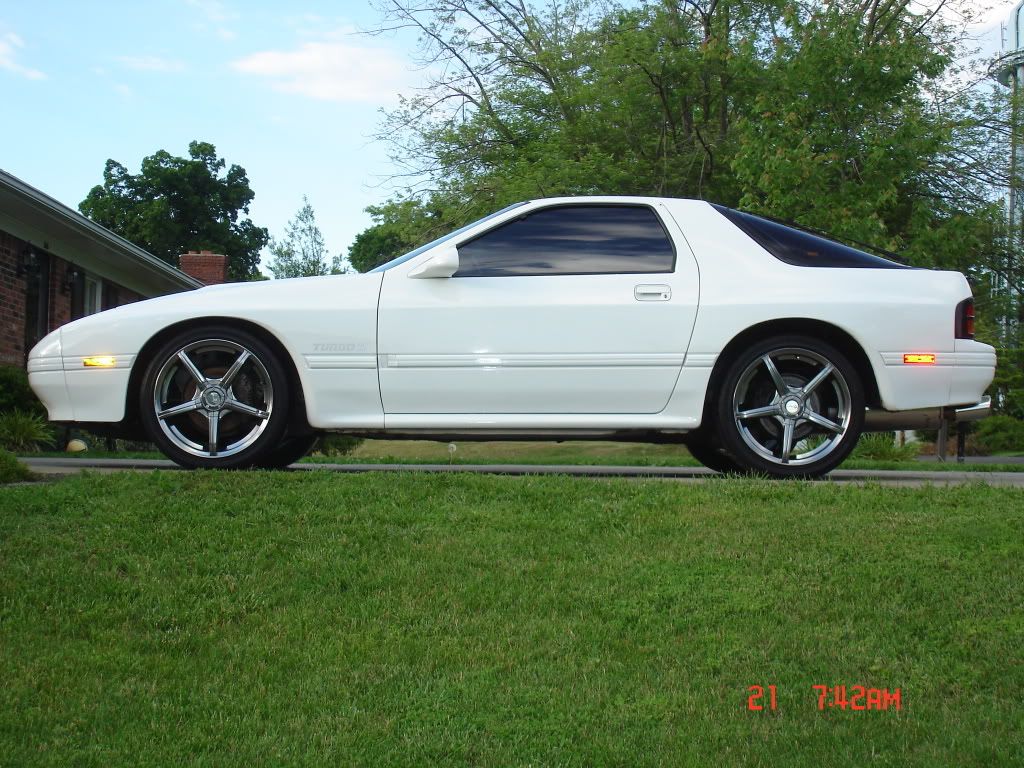


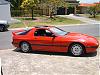
The above picture was imbedded into the post simply by copying the URL from the address bar of where the image was seen and putting that address between the "IMG" commands....it looks like this:
(IMG)http://i636.photobucket.com/albums/u...ar003.jpg(/IMG)
On the above, you would remove the parentheses and replace them with brackets and then the image of the car would magically appear...
Here's the breakdown ----> Type "[" then "IMG" then "]" then the address URL then "[" then "/" then "IMG" then "]" to complete the image command....it cannot be spelled out any clearer than that.
Have fun with it, Test Area 51 is a good place to practice.
Mario III
(IMG)http://i636.photobucket.com/albums/u...ar003.jpg(/IMG)
On the above, you would remove the parentheses and replace them with brackets and then the image of the car would magically appear...
Here's the breakdown ----> Type "[" then "IMG" then "]" then the address URL then "[" then "/" then "IMG" then "]" to complete the image command....it cannot be spelled out any clearer than that.
Have fun with it, Test Area 51 is a good place to practice.
Mario III

Thread
Thread Starter
Forum
Replies
Last Post
whizzybang
Naturally Aspirated Performance Forum
21
Feb 10, 2017 12:08 PM
