


Identify This




Identify This
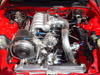
So who can tell me what function this plug plays (in red) besides plugging the hole? It's on the back of the coolant filler neck area. Directly below it is the stock coolant level sensor or what is now the Microtech water temp sensor.
The reason I ask is I would like to move my PLX water temp sensor from its current location (in blue) to the plug (in red) if this is possible. Would get the temp sensor away from the heat of the turbo.
Thanks.


The reason I ask is I would like to move my PLX water temp sensor from its current location (in blue) to the plug (in red) if this is possible. Would get the temp sensor away from the heat of the turbo.
Thanks.


I only have a third gen water neck to look at, but a sensor is supposed to go in there cause that plug doesnt look stock so i dont see why you couldnt put a sensor there. now if it were a freeze plug that would be a different story.


David,
As long as the business end of your sensor is submerged in coolant, the radiant heat from the turbo will not affect it at all. The wiring & connector will melt long before the accuracy of the sensor is affected....
As long as the business end of your sensor is submerged in coolant, the radiant heat from the turbo will not affect it at all. The wiring & connector will melt long before the accuracy of the sensor is affected....

With the heat blanked on the turbo, I don't think you need to worry about that sensor getting a false reading. If you are really worried you could fabricate a heat shield out of sheet metal to put between the sensor and turbo.



Thanks guys for the help. I like this location better, even if it doesn't have an impact on the sensor temps. I should know more soon as I have now bought the Microtech laptop adapter so I can compare the Microtech sensor to the PLX sensor readings to see if they are the same.
Trending Topics
There is more to this then just gauge accuracy, he is trying to get it to read properly during warm-up. With the sensors current location there is no reading until after the thermostat opens.
The circled plug is is where the OEM water thermosensor should be, this is the sensor that tells the Microtech the water temp.
The gold sensor below that is where the OEM fan switch is located. Someone may have installed a water temp sending unit in this position, but it is not the one that the Microtech is expecting to see.
In your other thread I asked you what you were doing with the nipple on the top of the WP housing, I can see from this picture that it has been removed. You can relocate your gauge sending unit to the spot with the plug marked "8.8 JH".
Have you received the dongle yet?
I would not be too quick to use the water thermosensor location as you may need it once you find out what your Microtech is reading.
The circled plug is is where the OEM water thermosensor should be, this is the sensor that tells the Microtech the water temp.
The gold sensor below that is where the OEM fan switch is located. Someone may have installed a water temp sending unit in this position, but it is not the one that the Microtech is expecting to see.
In your other thread I asked you what you were doing with the nipple on the top of the WP housing, I can see from this picture that it has been removed. You can relocate your gauge sending unit to the spot with the plug marked "8.8 JH".
Have you received the dongle yet?
I would not be too quick to use the water thermosensor location as you may need it once you find out what your Microtech is reading.
There is more to this then just gauge accuracy, he is trying to get it to read properly during warm-up. With the sensors current location there is no reading until after the thermostat opens.
The circled plug is is where the OEM water thermosensor should be, this is the sensor that tells the Microtech the water temp.
The gold sensor below that is where the OEM fan switch is located. Someone may have installed a water temp sending unit in this position, but it is not the one that the Microtech is expecting to see.
In your other thread I asked you what you were doing with the nipple on the top of the WP housing, I can see from this picture that it has been removed. You can relocate your gauge sending unit to the spot with the plug marked "8.8 JH".
Have you received the dongle yet? I would not be too quick to use the water thermosensor location as you may need it once you find out what your Microtech is reading.
The circled plug is is where the OEM water thermosensor should be, this is the sensor that tells the Microtech the water temp.
The gold sensor below that is where the OEM fan switch is located. Someone may have installed a water temp sending unit in this position, but it is not the one that the Microtech is expecting to see.
In your other thread I asked you what you were doing with the nipple on the top of the WP housing, I can see from this picture that it has been removed. You can relocate your gauge sending unit to the spot with the plug marked "8.8 JH".
Have you received the dongle yet? I would not be too quick to use the water thermosensor location as you may need it once you find out what your Microtech is reading.
So you are saying the top plug I circled is a Microtech unit? It's not attached to anything so how does this connect with the Microtech EMS if I read your post correctly? Something internal? And the 8.8 JH can be removed and this spot used for the Microtech? If this is true, is there anything special about removing the plug other than popping it out?
What is interesting about the current location is it is past the thermostat right? But it gets readings and it shows a warmup pattern, slowly and low at first and then it quickly warms up. This must be the effect of heat at first and then coolant. I had always wondered why the oil temps warmed up so quickly but not the water temps. FYI - regardless, my oil temps are now consistently 7-9 degrees C less than my water temps so the thought that my PLX sensor location is not a good one is still a strong possibility. And if it is past thermostat, it should be moved anyway.
No, I said: "The circled plug is where the OEM water thermosensor should be, this is the sensor that tells the Microtech the water temp."
You just have a plug there, no sensor at all. This is where the OEM sensor SHOULD be. The sensor below it is the location for the stock fan switch, something else has been installed there.
I will clarify, the Microtech is capable of using all the stock sensors, your car went through so many ECUs that the stock parts were removed long ago. Most likely you have a GM style sensor left in there from some previous unit like the Haltech.
The 8.8 JH is just another plug that can be unscrewed. The PLX sensor can be relocated there, this is where I have my Defi sensor. How to remove it is up to you, it is not a factory part, someone along the way in your cars bumpy journey installed it.
The PLX operates slowly because there is a small amount of coolant that makes it through the thermostat, the point when it opens is when your gauge is operating quickly.
What are your water temps on the Laptop gauge? What is your fan ON temp set at?
You just have a plug there, no sensor at all. This is where the OEM sensor SHOULD be. The sensor below it is the location for the stock fan switch, something else has been installed there.
I will clarify, the Microtech is capable of using all the stock sensors, your car went through so many ECUs that the stock parts were removed long ago. Most likely you have a GM style sensor left in there from some previous unit like the Haltech.
The 8.8 JH is just another plug that can be unscrewed. The PLX sensor can be relocated there, this is where I have my Defi sensor. How to remove it is up to you, it is not a factory part, someone along the way in your cars bumpy journey installed it.
The PLX operates slowly because there is a small amount of coolant that makes it through the thermostat, the point when it opens is when your gauge is operating quickly.
What are your water temps on the Laptop gauge? What is your fan ON temp set at?
Last edited by Banzai-Racing; Sep 28, 2009 at 07:21 AM.
No, I said: "The circled plug is where the OEM water thermosensor should be, this is the sensor that tells the Microtech the water temp."
You just have a plug there, no sensor at all. This is where the OEM sensor SHOULD be. The sensor below it is the location for the stock fan switch, something else has been installed there.
I will clarify, the Microtech is capable of using all the stock sensors, your car went through so many ECUs that the stock parts were removed long ago. Most likely you have a GM style sensor left in there from some previous unit like the Haltech.
The 8.8 JH is just another plug that can be unscrewed. The PLX sensor can be relocated there, this is where I have my Defi sensor. How to remove it is up to you, it is not a factory part, someone along the way in your cars bumpy journey installed it.
The PLX operates slowly because there is a small amount of coolant that makes it through the thermostat, the point when it opens is when your gauge is operating quickly.
What are your water temps on the Laptop gauge? What is your fan ON temp set at?
You just have a plug there, no sensor at all. This is where the OEM sensor SHOULD be. The sensor below it is the location for the stock fan switch, something else has been installed there.
I will clarify, the Microtech is capable of using all the stock sensors, your car went through so many ECUs that the stock parts were removed long ago. Most likely you have a GM style sensor left in there from some previous unit like the Haltech.
The 8.8 JH is just another plug that can be unscrewed. The PLX sensor can be relocated there, this is where I have my Defi sensor. How to remove it is up to you, it is not a factory part, someone along the way in your cars bumpy journey installed it.
The PLX operates slowly because there is a small amount of coolant that makes it through the thermostat, the point when it opens is when your gauge is operating quickly.
What are your water temps on the Laptop gauge? What is your fan ON temp set at?
I haven't yet monitored anything via the Microtech. Just got it hooked up and made sure I could connect. FYI - Microtech really needs to update the whole laptop adapter thing. It's cumbersome, costly, and completely not needed in today's world. Or at least do it thru a USB connection.
I did check the fan ON setting and it is at 88C.
Okay, Jesus confirms the GM style sensor in the pic is used for the Microtech and he indicates either of the other two plugs would work for relocating the PLX sensor.
I did fire up the car today and checked the Microtech reading versus the PLX reading and yes, they are consistently 5-7 degrees celsius off, with the PLX reading being the higher of the two. So, the good news is I don't have a water temp issue (unless the Microtech is off but I doubt it) and my temps have gone no higher than 95C even during the hottest of FL days. I can live with that.
So I'll be moving the sensor back behind the thermostat soon.
I did fire up the car today and checked the Microtech reading versus the PLX reading and yes, they are consistently 5-7 degrees celsius off, with the PLX reading being the higher of the two. So, the good news is I don't have a water temp issue (unless the Microtech is off but I doubt it) and my temps have gone no higher than 95C even during the hottest of FL days. I can live with that.
So I'll be moving the sensor back behind the thermostat soon.


That's just above 200F. Not bad by my standards and that was about one month ago when it was 95F outside and the humidity was insane. The thermostat doesn't even open up until 180F.
The FD manual says at 95C the engine is fully warm. Hot is about 105C.
The FD manual says at 95C the engine is fully warm. Hot is about 105C.
You may just want to verify that the sensor being used is within the range that the Microtech uses. If the sensor reads incorrectly (example 92C=86C) then your fans may be coming on at a much higher actual temperature then what the ECU is reading.
Microtech/FD water temp sensor spec:
-20C is 14 to 17K OHM
20C is 2.2 to 2.7K OHM
80C is .29 to .35K OHM
Microtech/FD water temp sensor spec:
-20C is 14 to 17K OHM
20C is 2.2 to 2.7K OHM
80C is .29 to .35K OHM
You may just want to verify that the sensor being used is within the range that the Microtech uses. If the sensor reads incorrectly (example 92C=86C) then your fans may be coming on at a much higher actual temperature then what the ECU is reading.
Microtech/FD water temp sensor spec:
-20C is 14 to 17K OHM
20C is 2.2 to 2.7K OHM
80C is .29 to .35K OHM
Microtech/FD water temp sensor spec:
-20C is 14 to 17K OHM
20C is 2.2 to 2.7K OHM
80C is .29 to .35K OHM
I am pretty confident the GM-style sensor is correct as we used a thermal laser gun to uncover the issue with the PLX sensor (it showing a too high reading). The Microtech water temp readings were bang on with the thermal sensor.


Thread
Thread Starter
Forum
Replies
Last Post
ppritchard
Interior / Exterior / Audio
2
Sep 2, 2015 07:44 PM
