How to restore/Cleanup FTP Lense

Thread Starter
Full Member

Joined: Nov 2002
Posts: 91
Likes: 0
From: Alameda, CA
How to restore/Cleanup FTP Lense
I washed my car today and noticed that the FTP lenses where faded and ugly, so I decided to try to restore them. After one hour, I was surprised of the result.
It is not perfect or like a new one but it looks better then before. I was not going to pay 140 for a pair of brand new ftp lenses.
This is what is needed for this little project.
1. Coarse OS4 Sand paper
2. P400 Sand paper
3. P600 Sand Paper
4. P800 Sand Paper
5. P1000 Sand Paper
6. A bucket of water
7. 2 rags
8. Rubbing Compound
9. Wax
Start:
1. Carefully removed my FTP lenses
2. Use the Coarse OS4 Sand Paper and started sanding away in one direction until you see the thin film disappear. Then wiped the lense with a wet rag that i put in the bucket of water. Dried the lense and noticed that the film was off and the whole lense was some what smooth.
3. Use P400 Sand Paper and sand in one direction a couple of times. Then wiped the lense with a wet rag. Dry the lense and you will notice that the thick scratches from before start disappearing.
4. Use P600 do the same as above.
5. Use p800 with water do the same as above.
6. Use 1000 with water and do the same as above
7. Use Rubbing compound on the lense. Pass Rubbing compound three or four times removing it every time.
Your lense should be clearer.
8. Pass wax three or four times and you are done.
If you want your FTP Lenses to be new this is not a project for you. It just a way to clean up these lenses. You will notice a little scracthes.
I recommend going to the junk yard and picking up a set of FTP lenses for about 30.00 bucks a pair.
Or if you are brave you can do this on your own set.

Thanks
Al
It is not perfect or like a new one but it looks better then before. I was not going to pay 140 for a pair of brand new ftp lenses.
This is what is needed for this little project.
1. Coarse OS4 Sand paper
2. P400 Sand paper
3. P600 Sand Paper
4. P800 Sand Paper
5. P1000 Sand Paper
6. A bucket of water
7. 2 rags
8. Rubbing Compound
9. Wax
Start:
1. Carefully removed my FTP lenses
2. Use the Coarse OS4 Sand Paper and started sanding away in one direction until you see the thin film disappear. Then wiped the lense with a wet rag that i put in the bucket of water. Dried the lense and noticed that the film was off and the whole lense was some what smooth.
3. Use P400 Sand Paper and sand in one direction a couple of times. Then wiped the lense with a wet rag. Dry the lense and you will notice that the thick scratches from before start disappearing.
4. Use P600 do the same as above.
5. Use p800 with water do the same as above.
6. Use 1000 with water and do the same as above
7. Use Rubbing compound on the lense. Pass Rubbing compound three or four times removing it every time.
Your lense should be clearer.
8. Pass wax three or four times and you are done.
If you want your FTP Lenses to be new this is not a project for you. It just a way to clean up these lenses. You will notice a little scracthes.
I recommend going to the junk yard and picking up a set of FTP lenses for about 30.00 bucks a pair.
Or if you are brave you can do this on your own set.
Thanks
Al


 clear FTP's!!!
Just Messing About

Joined: Feb 2001
Posts: 1,020
Likes: 0
From: Just West of Atlanta
I was able to get results almost as good as these by scrubbing them with some body scrub paint cleaner.
I was very supprised that they looked as good as they did after only like fifteen minutes of work. Made me feel like a dope for not doing it sooner
I was very supprised that they looked as good as they did after only like fifteen minutes of work. Made me feel like a dope for not doing it sooner
Trending Topics

 .
.
Thread Starter
Full Member
Joined: Nov 2002
Posts: 91
Likes: 0
From: Alameda, CA
Originally posted by vectorminds
id say to do it best, do the sandpaper and rubbing compound thing... but then instead of waxing spray some clearcoat on them.... should last longer and be shinier and clearer
id say to do it best, do the sandpaper and rubbing compound thing... but then instead of waxing spray some clearcoat on them.... should last longer and be shinier and clearer

Thread Starter
Full Member
Joined: Nov 2002
Posts: 91
Likes: 0
From: Alameda, CA
Originally posted by 2a+RoN
Wow, that looks really dull for a clear coat. Are you sure you sprayed too much? maybe you didn't put enough down, as it'll get really rough if its too light.
Wow, that looks really dull for a clear coat. Are you sure you sprayed too much? maybe you didn't put enough down, as it'll get really rough if its too light.
I sprayed a lot down I made sure of it.
I have to sand it down and keep it as spares.

I'm bastardizing my car!
Joined: Sep 2002
Posts: 1,258
Likes: 0
From: Naperville, IL.
theres this stuff called flitz plastic polish or somthing. just search for flitz. the stuff is amazing, i had a car with plex windows and after a 30 years or so, they had a lot of sun damage and hazing. This flitz stuff cleaned it up and made it clear again. Its pretty expensive, they use it a lot for airplane windows since those are all plastic, but its works great.




Where's My Fuel???
Joined: Jun 2002
Posts: 473
Likes: 0
From: NJ
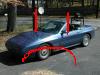
all you need is a rachet, a 10 mm socket (i think), and a extention.. a swivel might come in handy too... as will a 1/4 inch drive 10 mm socket and 1/4 inch drive screwdriver handle
but you should be able to do it fine with just a normal rachet setup... or even a box wrench... spray some wd40 or pb blaster on the nut a few hours before you do it... then all you need to do is losen it a lil and it should spin right off by hand
and yeah, make sure you pop up the lights
but you should be able to do it fine with just a normal rachet setup... or even a box wrench... spray some wd40 or pb blaster on the nut a few hours before you do it... then all you need to do is losen it a lil and it should spin right off by hand
and yeah, make sure you pop up the lights

NA Powah, Every Hour!
Joined: Mar 2001
Posts: 1,302
Likes: 0
From: Sacramento, CA, U S of A
Yo,
Good write up! They look way better.
I've got a Series 5...but you just put up the headlights (the **** on the left of the dash)...reach underneath them.
You'll find 4 x nuts. I've got 3 8mm and 1 10mm holding my FTP's in. Just unbolt them, make sure to NOT drop the nuts...then push out the FTP's from behind. It's easy!
Hope that helps.
Kevin
1989 GTUs "Just don't drop the nuts...trust me."
Good write up! They look way better.
I've got a Series 5...but you just put up the headlights (the **** on the left of the dash)...reach underneath them.
You'll find 4 x nuts. I've got 3 8mm and 1 10mm holding my FTP's in. Just unbolt them, make sure to NOT drop the nuts...then push out the FTP's from behind. It's easy!
Hope that helps.
Kevin
1989 GTUs "Just don't drop the nuts...trust me."