


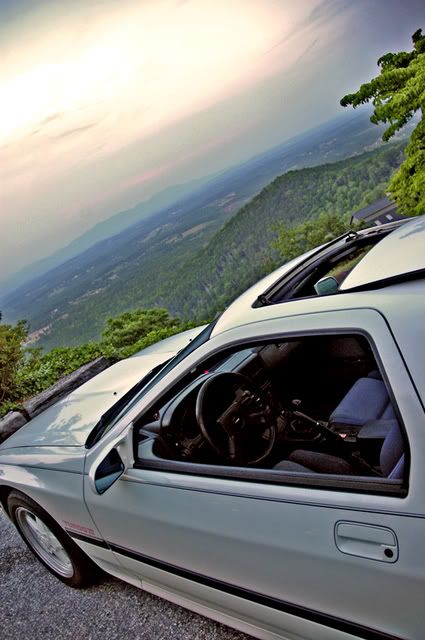
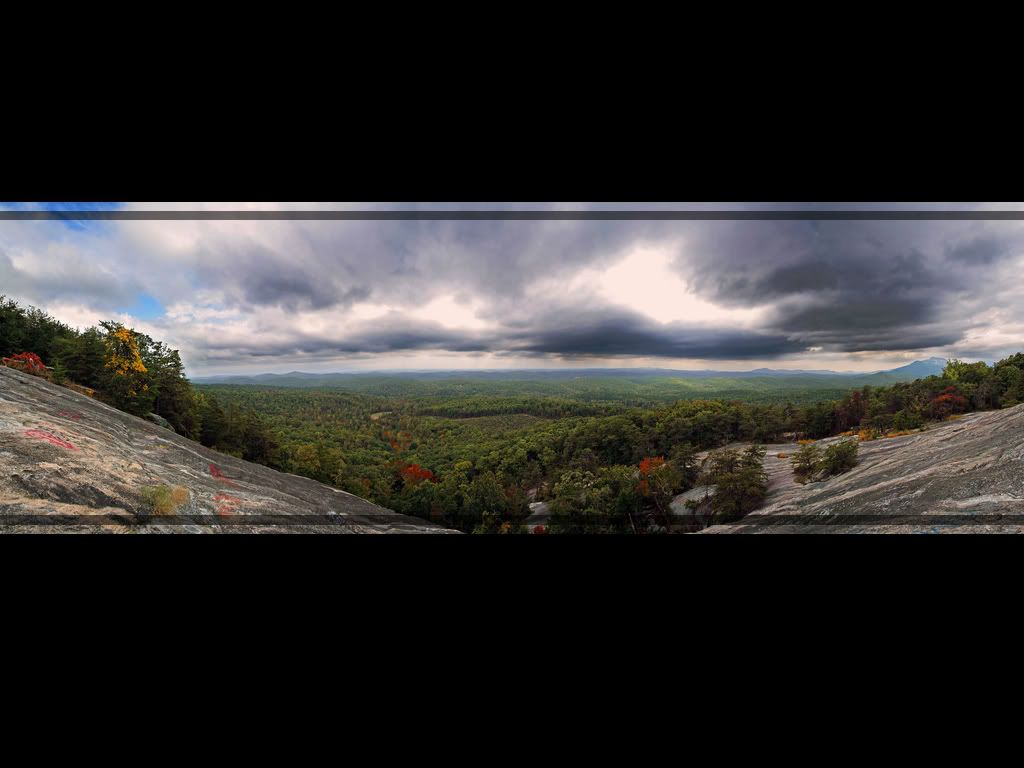
My first HDR pics!

Thread Starter

Joined: Feb 2008
Posts: 1,092
Likes: 3
From: N. Chesterfield, VA
My first HDR pics!
I'm not sure I like the way they turned out. I'd have spent a lot more time editing them but I don't have PS on my computer and pretty much used it for the first time today on my dad's computer which he uses for work, so I only had about 30 minutes to do these two pics plus my sweet new sig! 
So let me know what you think, how I can improve them and what I'm doing wrong. all that stuff. That whole thing with the histogram chart and moving the curves TOTALLY lost me, so I just kinda moved em around to something decent. HDR guys, HELP ME OUT! Lol... Let me know whatcha think everyone...
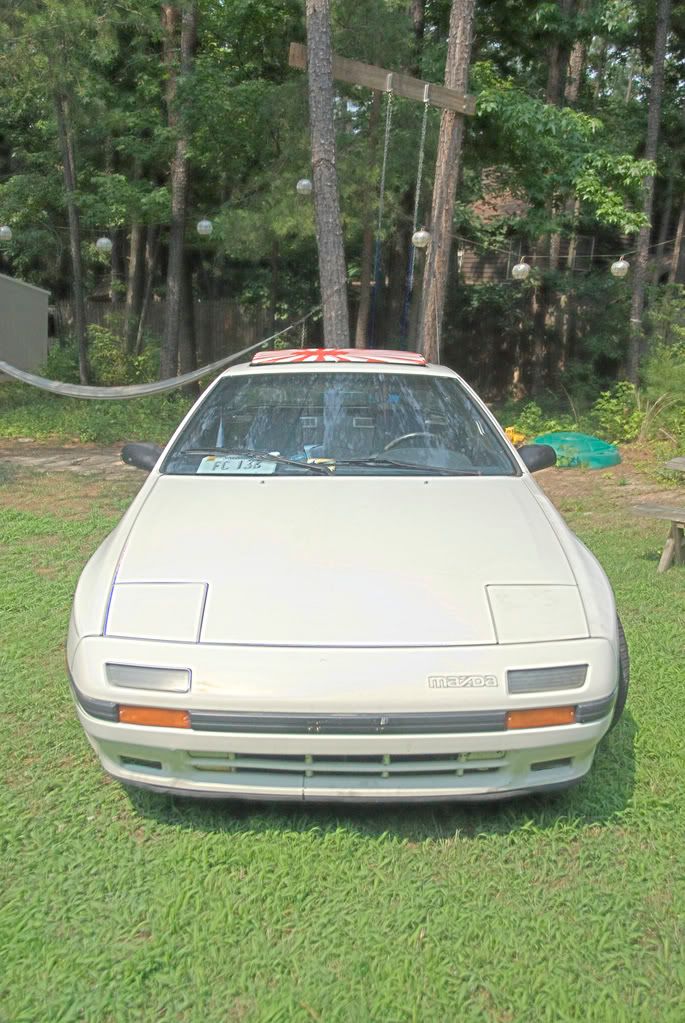
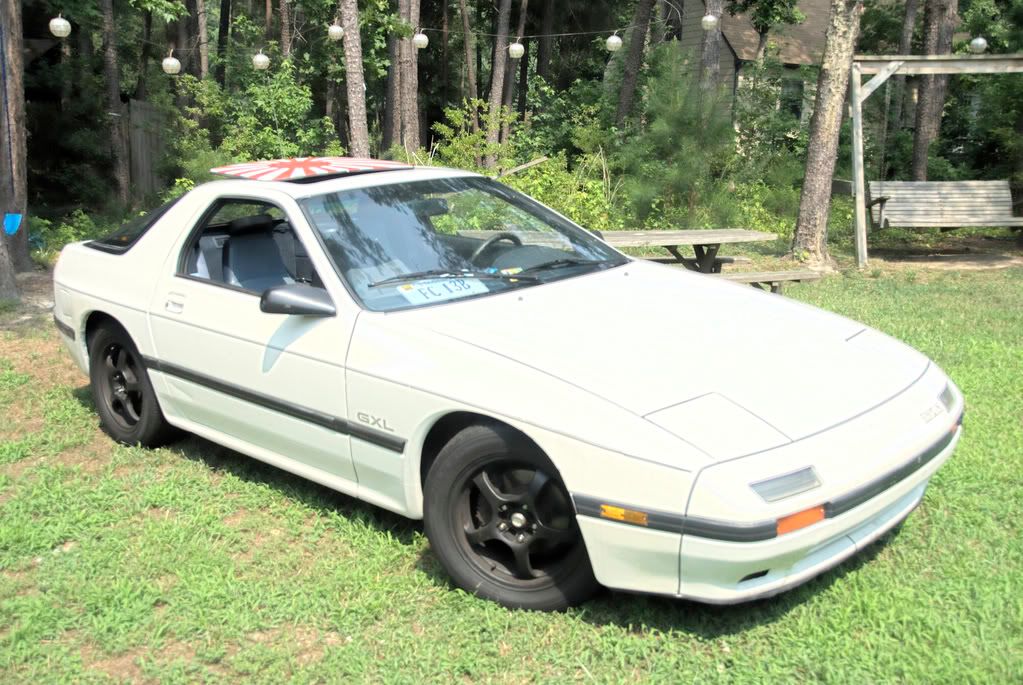
So let me know what you think, how I can improve them and what I'm doing wrong. all that stuff. That whole thing with the histogram chart and moving the curves TOTALLY lost me, so I just kinda moved em around to something decent. HDR guys, HELP ME OUT! Lol... Let me know whatcha think everyone...


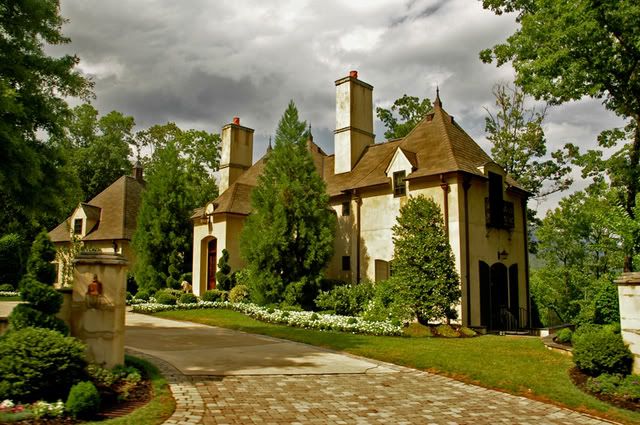
HDR is High Dynamic Range. You have to shoot 3 different exposures in exactly the same frame to do this. Usually shooting in RAW format. You then combine them and merge them into a photo processing program.
HDR captures more vivid colors and shows every level of exposure to create a more depth of field to give a crazy kind of look.
HDR captures more vivid colors and shows every level of exposure to create a more depth of field to give a crazy kind of look.



i got a 5.1 megapixel cam from 2004.. so if i take pics on a tripod, take 1 with regular settings, maybe one with timing exposure, and another with a longer exposure, then use photoshop to layer them, i could come up wiht some professional looking pics??
i took this with a time exposure and tripod
http://tunerbase.com/ads/night13.JPG
i took this with a time exposure and tripod
http://tunerbase.com/ads/night13.JPG

Joined: Jul 2007
Posts: 3,564
Likes: 26
From: Cincinnati, OH
i got a 5.1 megapixel cam from 2004.. so if i take pics on a tripod, take 1 with regular settings, maybe one with timing exposure, and another with a longer exposure, then use photoshop to layer them, i could come up wiht some professional looking pics??
i took this with a time exposure and tripod
http://tunerbase.com/ads/night13.JPG
i took this with a time exposure and tripod
http://tunerbase.com/ads/night13.JPG
you can do it that way... but merging them in an HDR type compressing option works better. Depending on what photoshop you have, it should have that option already. I just don't know if you can shoot in RAW instead of Jpeg w/ your camera tho.
Trending Topics
Thread Starter
Joined: Feb 2008
Posts: 1,092
Likes: 3
From: N. Chesterfield, VA
Dude I know. Pretty much the best/only mod on my car! Lol...
That's what I did! Can't you tell? BTW, that first picture you posted is TOTALLY screwing with my mind...
We got that in the Philippines as well as those hanging lantern thingies. Street Vendors FTW! Lol...
Basically. I used this as my tutorial: http://backingwinds.blogspot.com/200...dr-images.html
It works a lot better in Photoshop CS2 or 3 because it actually has a "Compress to HDR" function.
HDR is High Dynamic Range. You have to shoot 3 different exposures in exactly the same frame to do this. Usually shooting in RAW format. You then combine them and merge them into a photo processing program.
HDR captures more vivid colors and shows every level of exposure to create a more depth of field to give a crazy kind of look.
HDR captures more vivid colors and shows every level of exposure to create a more depth of field to give a crazy kind of look.
BTW, that first picture you posted is TOTALLY screwing with my mind...We got that in the Philippines as well as those hanging lantern thingies. Street Vendors FTW! Lol...
It works a lot better in Photoshop CS2 or 3 because it actually has a "Compress to HDR" function.
Thread Starter
Joined: Feb 2008
Posts: 1,092
Likes: 3
From: N. Chesterfield, VA
Basically. I used this as my tutorial: http://backingwinds.blogspot.com/200...dr-images.html
It works a lot better in Photoshop CS2 or 3 because it actually has a "Compress to HDR" function.
It works a lot better in Photoshop CS2 or 3 because it actually has a "Compress to HDR" function.
Thanks! ill have to try that.. 2 years ago when i still had my 240sx i messed around with a tripod and snapped like different exposures , i think i still got the pics on my hard drive, will be cool to use em.

Thread
Thread Starter
Forum
Replies
Last Post

